
Check your inbox
Your download is on its way.
We just emailed you the plugin. Look for “Your AB Split Test Purchase” from [email protected]. If it is not there in a couple of minutes, check spam or promotions.
Your 7-day trial of everything in Teams has not started yet. It starts when you activate the plugin.
Next steps
Live in about two minutes.
Step 1
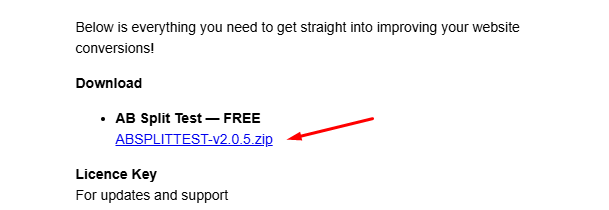
Download the zip
Open the email called “Your AB Split Test Purchase” and click the download link.
Step 2
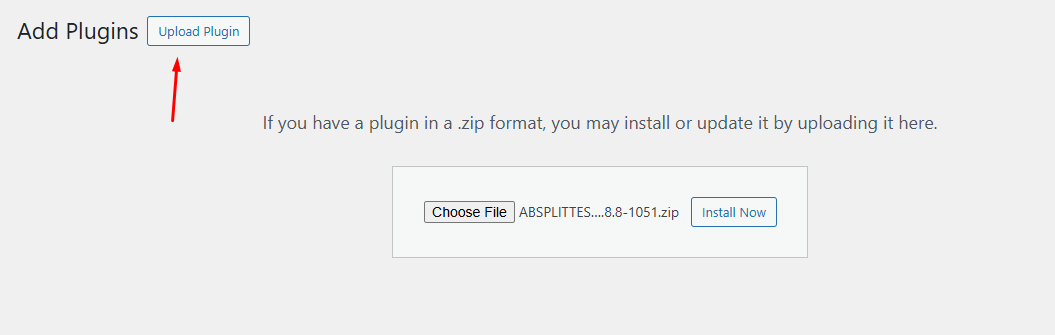
Upload it to WordPress
In your WordPress admin go to Plugins, Add New, then Upload Plugin. Choose the zip you just downloaded and click Install Now.
Step 3
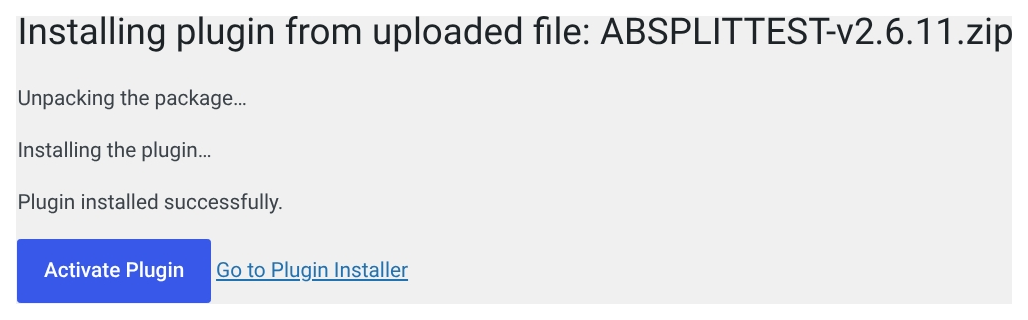
Activate and test
Click Activate Plugin. Your 7-day trial of everything in Teams starts now, and the walkthrough inside the plugin takes you to your first test.
Let’s talk
Want a hand getting started?
Talk with Tom, the founder, about how to best use AB Split Test in your business.