
Magic Mode Updates: Better AI Suggestions, CRO Chat and More
Now with more magic! ✨
If you haven’t used it before, Magic Mode lets you click on any element on your site and turn it into a test. No setup screens. No selectors. Just point, click, test. This update makes that workflow faster and more useful.
Better Rewrite Suggestions
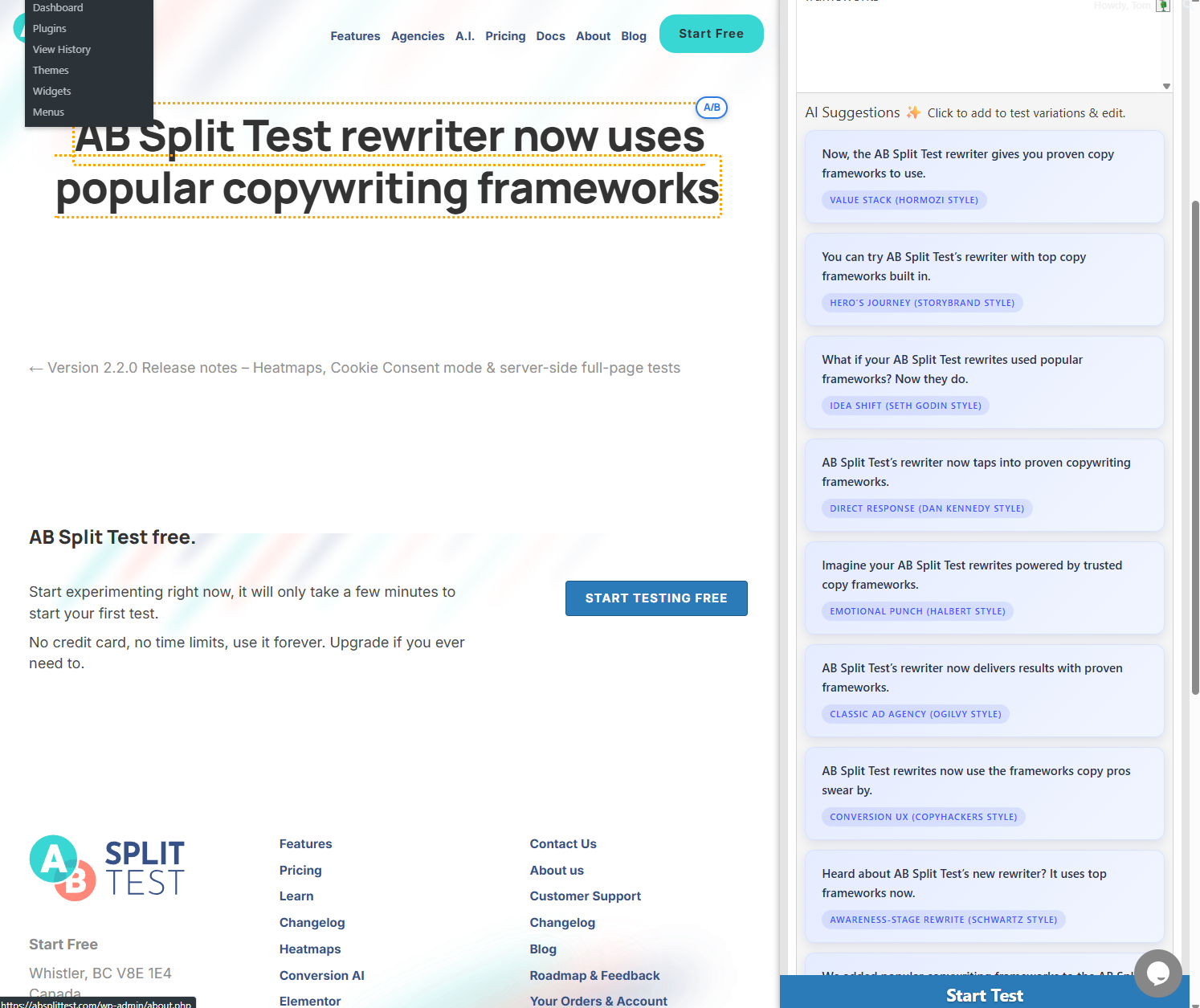
You can now generate rewrite suggestions in familiar copy styles. Things like more direct, more story-driven, or more minimal approaches. The suggestions keep your tone and context, they’re just different ways of framing the same message so you can test what works.
Click a suggestion and it becomes a new variation instantly.
A Cleaner Way to Manage Variations
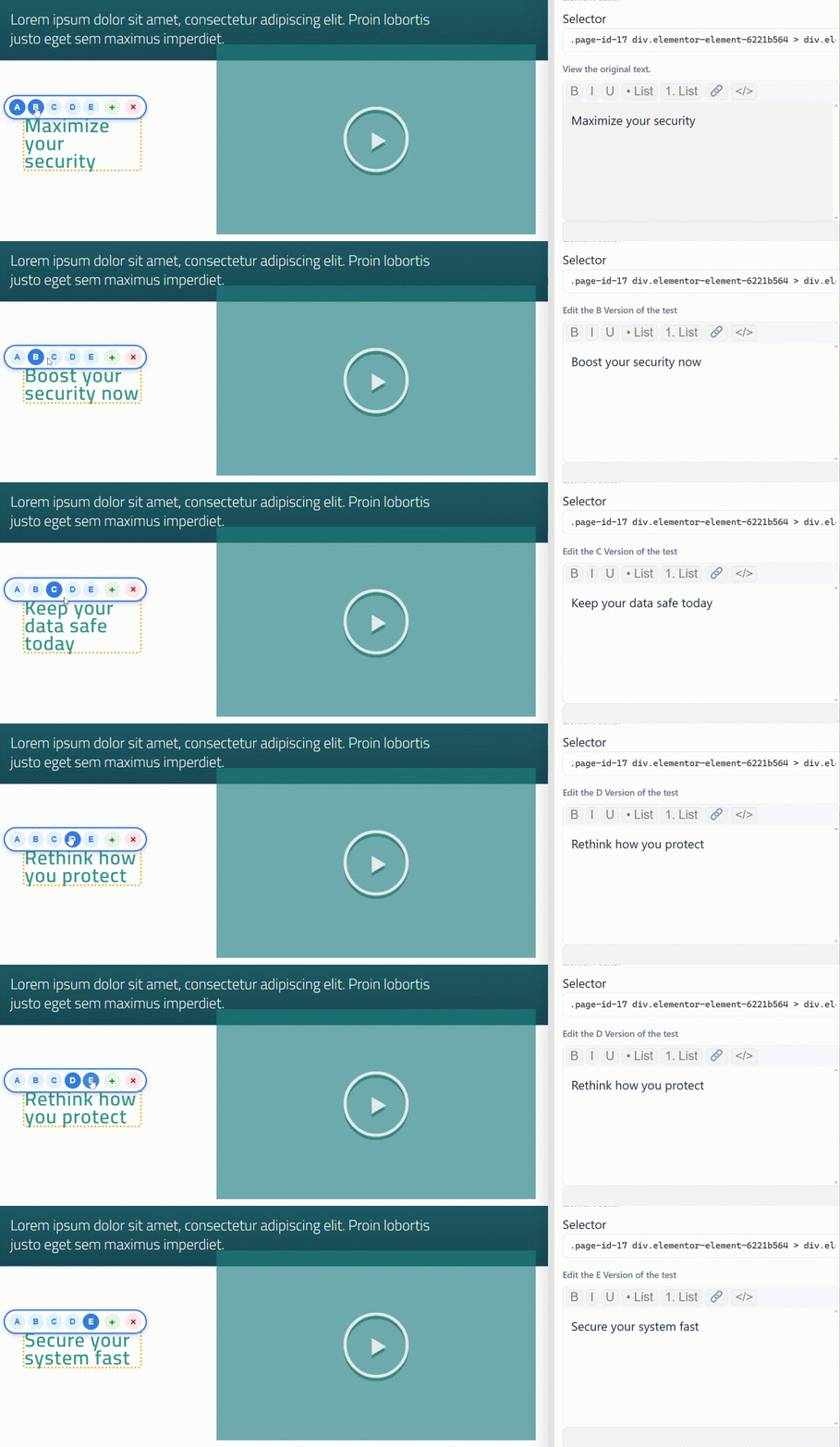
We also cleaned up the variation UI.
You can now switch between variations quickly, add or remove them, and edit copy without right-clicking or digging through menus. It’s a small change, but it makes running multiple tests feel calmer.
CRO Chat Inside Magic Mode
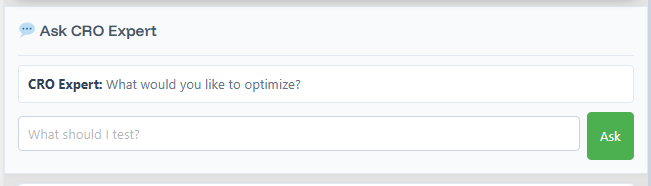
Magic Mode now includes a CRO chat.
Yes, we know. Everyone is tired of AI chat. This one took longer because context matters.
Before you ask anything, AB Split Test has already scanned your site. It knows the pages, how they connect, and what role the current page plays. When you ask something like “make this more focused on agencies,” the suggestions are based on your actual site, not a blank prompt.
You can read the explanation or skip straight to the suggested variations. Click one and you’ve got a new test version instantly.
From Idea to Test, End to End
Once your variations are ready, choose a goal. Clicks, engagement time, page visits, purchases, modal views. Start the test and you’re done.
If you’re already using Magic Mode, you’ll notice the difference straight away.
What has been added since this update
Magic Mode has continued to improve since this post was written.
v2.5.0 updated the Magic Bar variation controls so toolbars stay inside the viewport, sit more reliably above tested elements, and support cleaner variation switching and removal. AI suggestions now follow the selected element more reliably, show a loading state while generating, and cache per selector so switching between elements is faster.
v2.5.1 introduced the Tabbed Magic Bar and a new tabbed layout inside the Magic Bar with mixed-scope support, in-place test editing, and a much-improved Test Idea setup flow. If you have not opened Magic Mode since updating to v2.5.1, it will look noticeably different.
See the full Changelog for every update.