
How the AI Inside AB Split Test Actually Works
AB Split Test has AI built in. Not as a bolt-on or a separate subscription. It is part of the plugin and it works from your actual site content, not generic prompts.
This is a walkthrough of everything AI-powered inside AB Split Test and what each feature actually does.
Magic Mode: point and click test creation
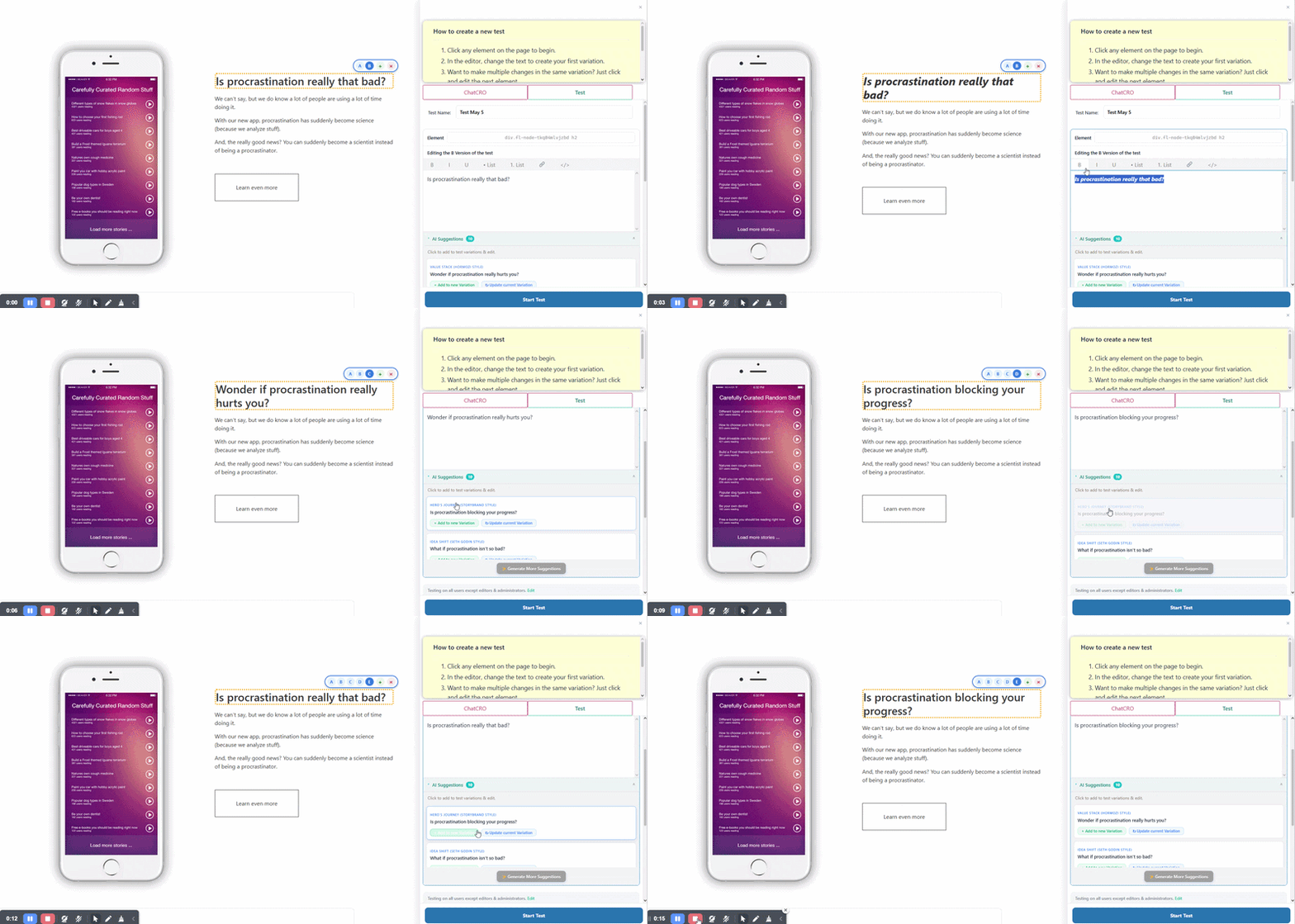
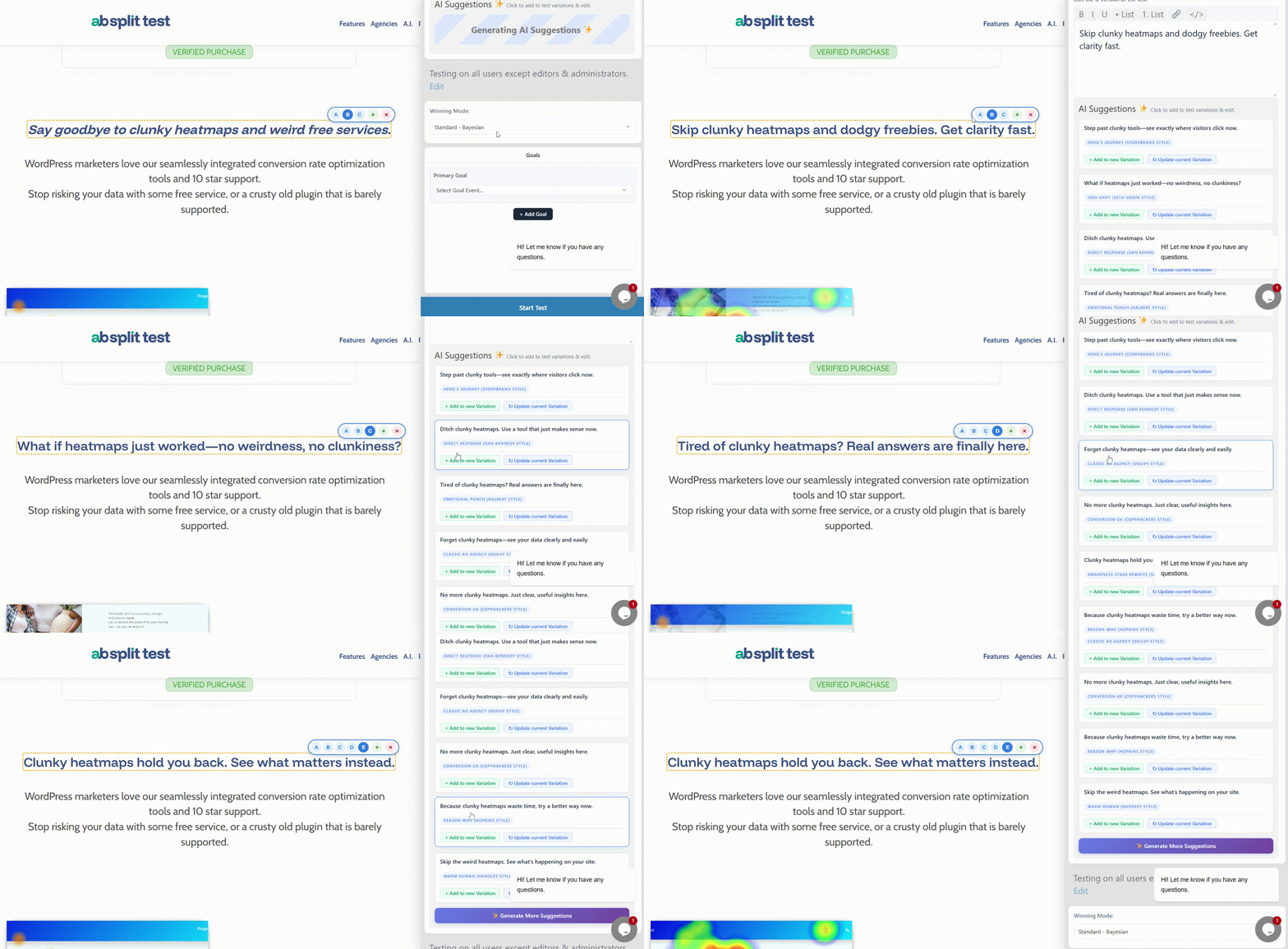
Magic Mode is the fastest way to create a split test. While logged in, click Magic Test Mode in the WordPress admin bar and start clicking on elements you want to test. The AI generates improved variations of whatever you clicked, headlines, button text, hero copy, or anything else.
The suggestions are based on a full analysis of your site: your funnel, your tone of voice, and your ideal customer. So the variations are relevant to your business, not just generic rewrites that could apply to any site.
How the AI learns your site
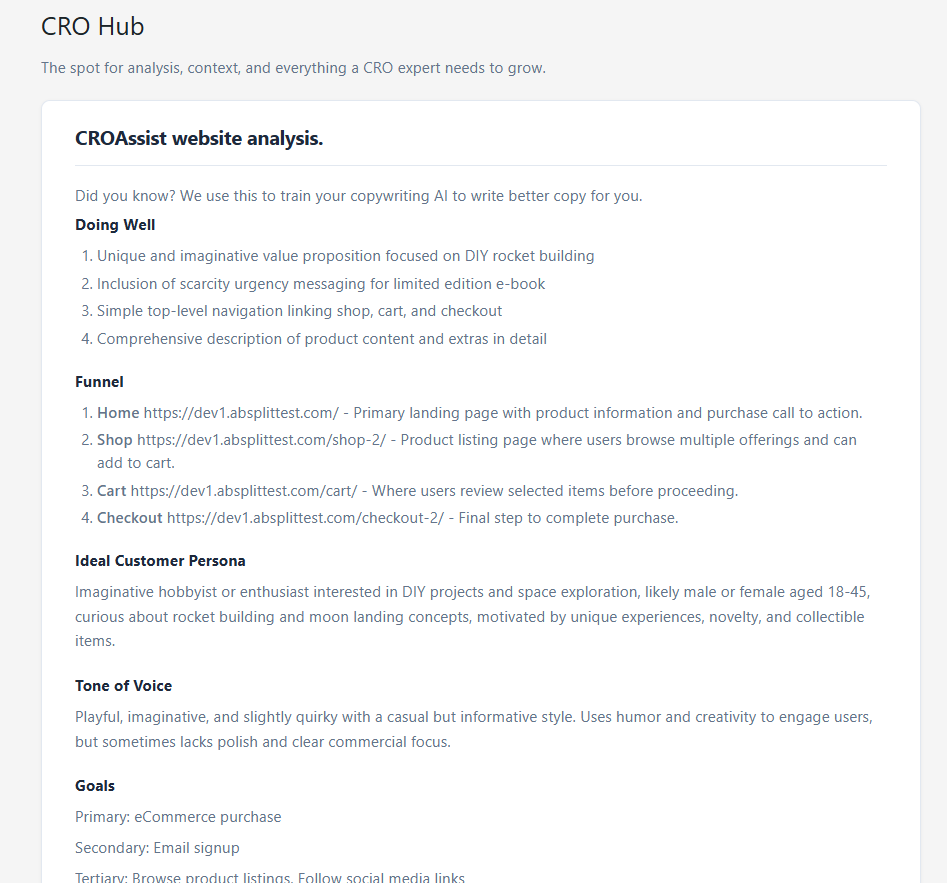
Before making any suggestions, the AI builds a snapshot of your site. It reads your menus, key pages, layout, and content to understand what you sell, who you are selling to, and how you talk about it.
This is what makes the suggestions feel on-brand. You will not see sales copy pushed onto your About page, or a soft educational tone suggested for your pricing page. Every variation matches the intent of the specific page you are working on.
If the tone or persona in the suggestions feel off, that is often a signal that your own messaging needs tightening. Worth paying attention to.
Conversion goals that match the page
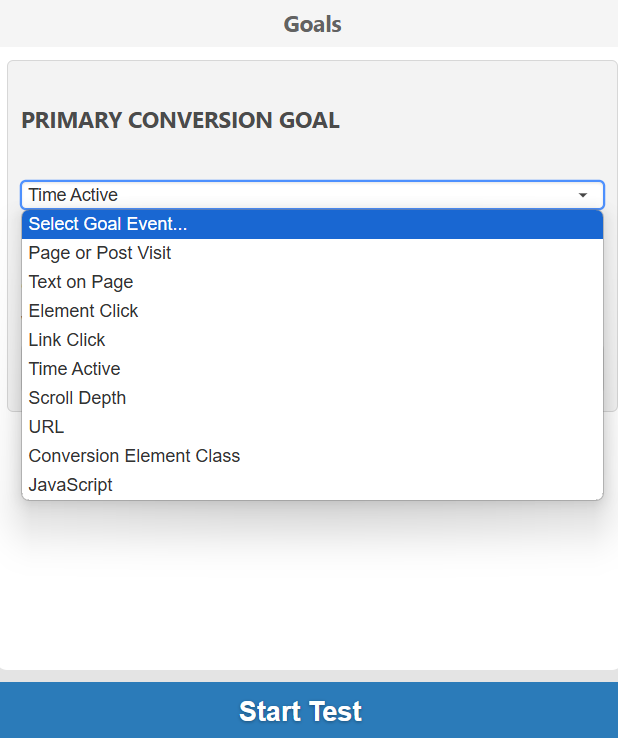
The AI understands that different pages serve different purposes. A homepage, a product page, a blog post, and a checkout page all have different jobs. The test ideas and rewrite suggestions it generates reflect that.
CRO audit and insights
Alongside the funnel analysis, AB Split Test runs a CRO audit on your site. You get specific suggestions for improving your conversion rate based on your actual content, not generic rules from a template.
These might include adjusting CTA language, simplifying a layout, adding a trust signal in a specific spot, or flagging content that is not answering the question visitors have when they land on that page.
AI rewriter and suggestions
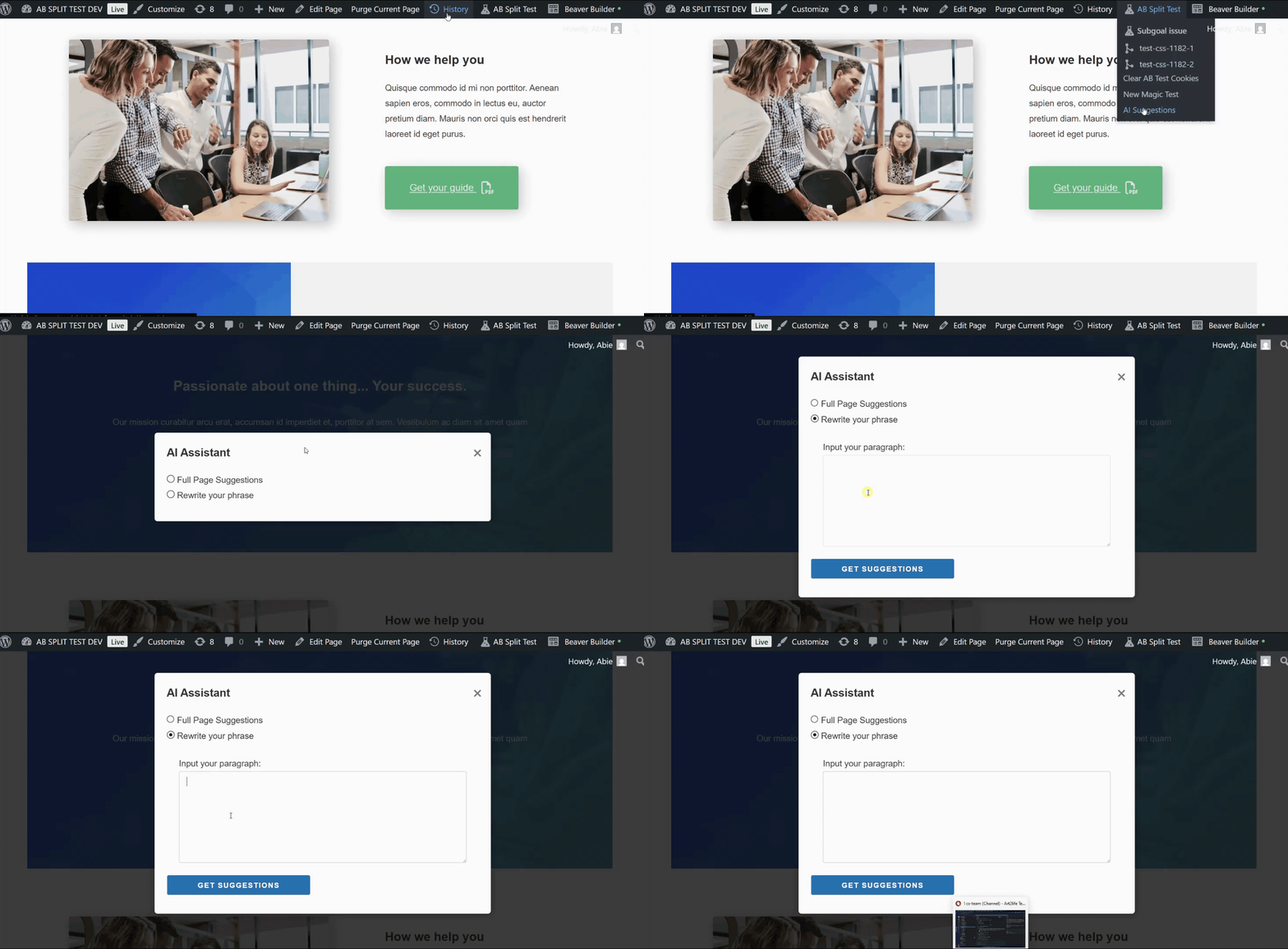
If you want to rewrite a line of copy without starting a test, the Rewrite tool gives you conversion-friendly alternatives in one click, using your site's tone and messaging as the base.
The AI Suggestions panel shows you test opportunities across your site. Click any suggestion to launch a variation instantly with Magic Mode. No setup screens, no selectors, no writing briefs.
Try It Free
The AI features are included with all paid plans. The free version includes a 7-day Pro trial on install so you can try Magic Mode, the CRO audit, and AI suggestions before committing.