Track Smarter with Advanced Tracking
If you're looking to take your split testing to the next level - especially with Google Tag Manager or server-side conversions - Advanced Tracking is the switch you want to flip.
What it does
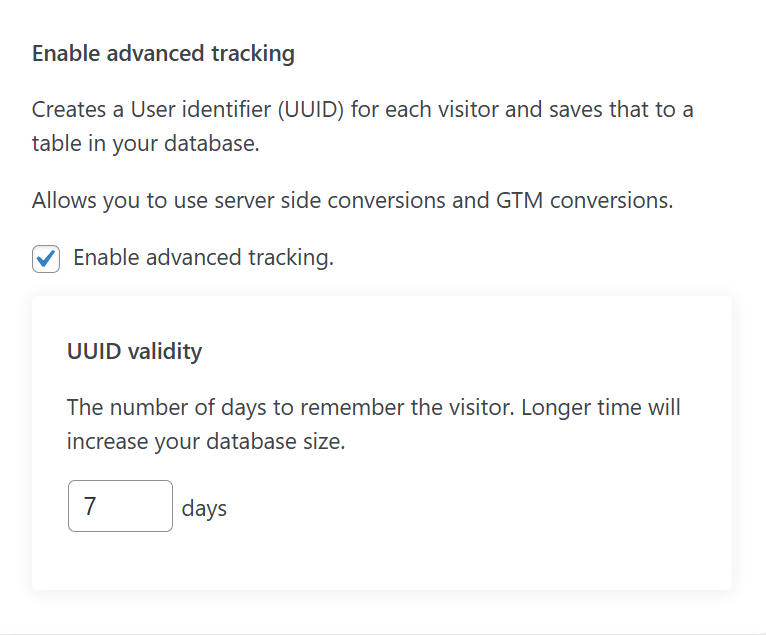
When Enable Advanced Tracking is turned on in AB Split Test, the plugin does two key things:
-
Creates a UUID (unique user ID) for each visitor.
-
Stores that ID in your WordPress database.
This gives you a persistent identifier for tracking users across multiple visits - without relying on cookies alone.
Why This Matters
With that UUID in place, AB Split Test can:
-
Send the test result + UUID to Google Tag Manager.
-
Let you trigger conversions from any GTM event.
-
Track server-side conversions or other advanced workflows more reliably.
Basically, it unlocks deeper integration with tools like GA4, Google Ads, and custom funnels - especially when browser tracking is limited or unreliable.
How It Works
Once the setting is enabled:
-
A new visitor gets a UUID generated.
-
That UUID is saved to your database and passed into the browser.
-
You can then set up GTM to listen for this event and trigger a conversion however you want.
Here’s the full GTM setup guide if you haven’t seen it yet:
Google Tag Manager + GA4 Setup Guide