
We Split Tested a TV.
In our last post we explained how we dogfood AB Split Test: every update runs on our own businesses, on real traffic, before it reaches yours.
Dogfooding has a side effect. Once you run your own software on real businesses every day, you start asking it to do things it was never built for.
This is one of those.
A TV nobody could measure
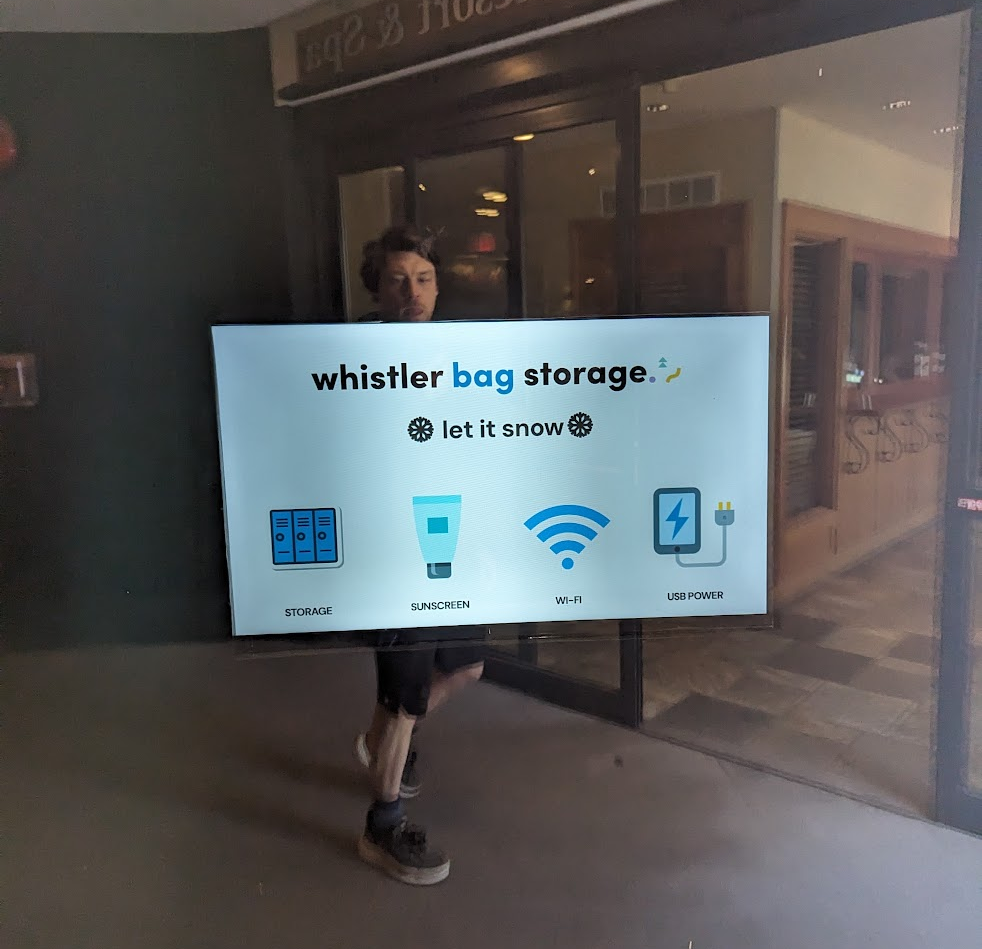
Whistler Bag Storage is one of our dogfood sites. It’s a real local business in Whistler, and it has a TV pointing out into a busy public area.
The TV shows a screen. People walk past it all day. But there was no way to tell whether any of them actually looked at it, or which version of the screen worked better.
A website has analytics, does a TV?
So we gave it a webcam
The question was simple: is this person looking at the screen, and for how long?
If we could answer that, the TV becomes a split test like any other page:
- A visitor is someone who walks into view of the screen.
- A conversion is that person turning to look at it for a couple of seconds.
- Sub goals are longer looks: 5 seconds, 15 seconds, however you want to measure it.
- When everyone has walked away, the screen loads a fresh variation for the next person.
The screen itself is just a WordPress page running full-screen in a browser. AB Split Test picks the variation, the webcam counts the attention, and the results show up in the same dashboard as every other test. The winner is the screen that holds people’s attention.
How it knows you’re looking
It uses face detection that runs entirely inside the browser on the kiosk. It doesn’t recognise who anyone is. It only works out which way a head is turned. If a face is pointed at the screen within a few degrees, that counts as looking.
It isn’t eye tracking, but it’s a good proxy for attention, and it works with a cheap webcam.
Privacy was the first thing we designed for:
- No images or video ever leave the device. Frames are analysed in the browser and discarded.
- Only the normal AB Split Test events get sent: a visit, a conversion, a goal.
- The camera only switches on in browsers you’ve enrolled as a kiosk with a secret key. Ordinary visitors to your website are never affected.
- A small “camera on” notice shows on screen by default.
From a glance to a sale
Attention is nice, but a glance doesn’t pay the bills. So we added a QR code.
Each passer-by gets their own QR code on the screen. When they scan it, their phone carries on as the same visitor who saw that screen. If they go on to book, sign up or buy on your website, the sale counts towards the variation that got their attention.
That closes the gap between “someone looked at the TV” and “someone became a customer”.
Where this is going: AI in the loop
Here’s the fun part, and our longer-term goal for this side project.
AB Split Test already has an AI loop that suggests and runs improvements on web pages. We want to plug the kiosk into it:
- The AI proposes a new screen design.
- It runs against the current one on real passers-by.
- The one that gets more people to scan the QR code wins.
- Repeat, all day, every day.
A screen that keeps getting better at stopping people, without anyone having to redesign it by hand. We’ll share how that goes.
Try it yourself
The Attention Kiosk add-on is free and open source on GitHub: SiteSpot/abst-attention-kiosk
It works anywhere you have a screen, a webcam and a browser: shop windows, menu boards, trade-show stands, lobbies, waiting rooms. You’ll need AB Split Test 2.6.8 or later, and the kiosk page needs HTTPS.
It’s a side project, so expect rough edges. If you put it on a screen, we’d love to hear what you find.