
AB Split Test v1.8.18 - Server-Side WooCommerce Conversion Tracking in AB Split Test
⚠️ Note: This post was originally published alongside version 1.8.18. Server-side WooCommerce tracking has been expanded significantly since then, including additional order status options, improved CartFlows and WooFunnels compatibility, and a logging system to help debug tracking issues. The core setup described here still applies. For the full current feature set see the Changelog.
When you need server-side tracking
AB Split Test tracks WooCommerce conversions by default using the thank you page. When a customer lands on the order confirmation page, the plugin records the conversion against whichever test variation they saw.
That works for most setups. Where it falls short is in custom checkout flows, specifically tools like CartFlows, WooFunnels, and similar funnel builders that redirect customers to custom thank you pages or handle order completion differently. In those cases, the standard tracking can miss orders entirely.
Server-side conversion tracking fixes that. Instead of relying on the customer landing on a specific page, it hooks directly into WooCommerce's order status events on the server. The conversion fires when the order reaches a status you choose, regardless of what page the customer sees next.
How to enable it
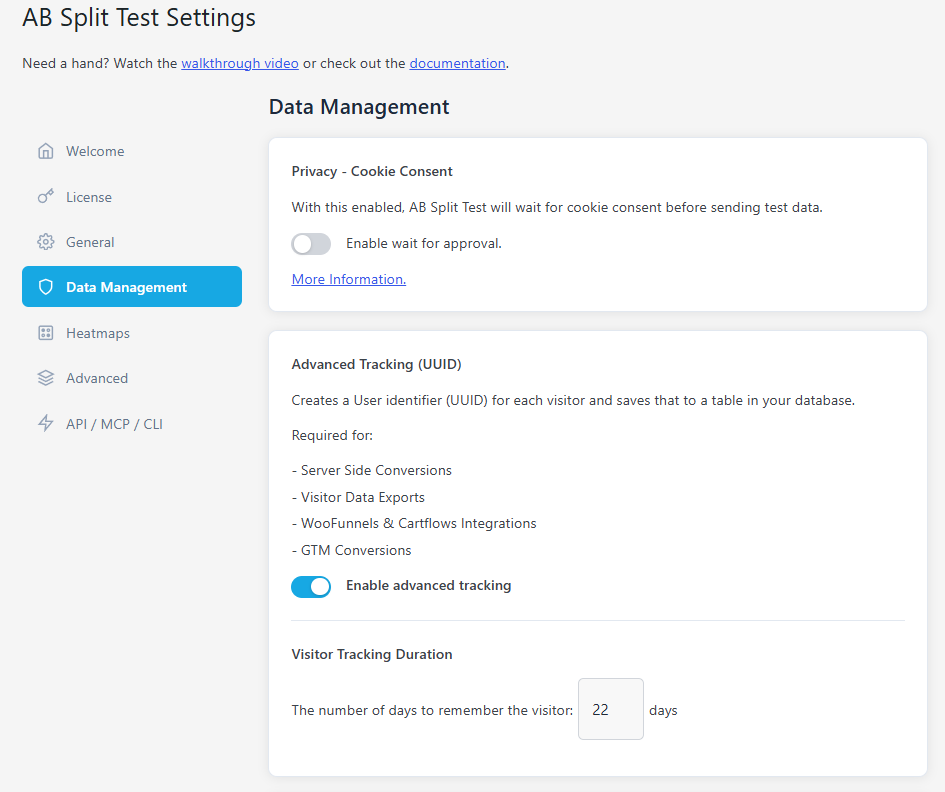
Go to WP Admin → AB Split Test → Settings → Enable server-side advanced tracking
Only turn this on if your existing WooCommerce orders are not being tracked. If standard tracking is working correctly for you, leave this off.
Once enabled, you can choose which order status triggers the conversion. The default is Processing or Completed, which covers most standard WooCommerce stores. If you are running a subscription product or a custom fulfillment workflow, you may want to adjust this to match when your orders are actually confirmed.
What changed since v1.8.18
Server-side tracking has been updated across several releases since this feature launched:
- v1.9.1 added a full settings UI for advanced server-side WooCommerce tracking and switched to the
woocommerce_order_status_changedhook for broader compatibility with custom order flows - v1.9.5 added order following, so AB Split Test can track a conversion later in the order lifecycle. This is useful for setups like CartFlows where the order is created before the customer reaches the final confirmation step. Requires Advanced Tracking to be enabled from Settings
- v1.9.6 added an option to ignore AJAX conversions for server-side tests, which prevents duplicate conversion records in setups that fire order events multiple times
Other fixes in this release
- Optimized database queries for better performance
- Improved UI styling for test status labels
- Fixed subgoal dropdown display and interaction
- Fixed conversion rate prediction for order value tests
- Patched potential WordPress data leaks with
wp_reset_postdata() - Fixed visibility issue with Magic Test primary variation
- Added security nonce validation to test editing forms