
Introducing AI Content Feedback and Suggestions: Power Up Your AB Split Testing
⚠️ Heads up: This post was originally published in 2023 to announce the first version of AI suggestions in AB Split Test. A lot has changed since then. The credit system and OpenAI key requirement described below are no longer how it works. AI is now fully built into the plugin with no credit limits and no external API key needed. Magic Mode has also been through several major upgrades. The current AI features are covered below the original announcement.
The original announcement (May 2023)
Back in 2023 we added the first version of AI suggestions to AB Split Test. The idea was simple: instead of just measuring tests, the plugin would help you figure out what to test in the first place.
You could open the admin bar, click through to AI suggestions, and get a CRO score for your page along with specific ideas for what to improve. Each suggestion came with a reason behind it, not just a generic tip.
That was the starting point. The AI at the time used your OpenAI API key and ran on a credit system. It was useful, and people started getting real test ideas from it almost immediately.
That version of the feature is what the rest of this original post describes. Read it for context, but know that the current version works quite differently.
What the AI does now
The original credit system and OpenAI key requirement are gone. AI is fully built into AB Split Test with no usage limits and no setup required on your end.
Here is what is available now:
Magic Point-and-Click Mode
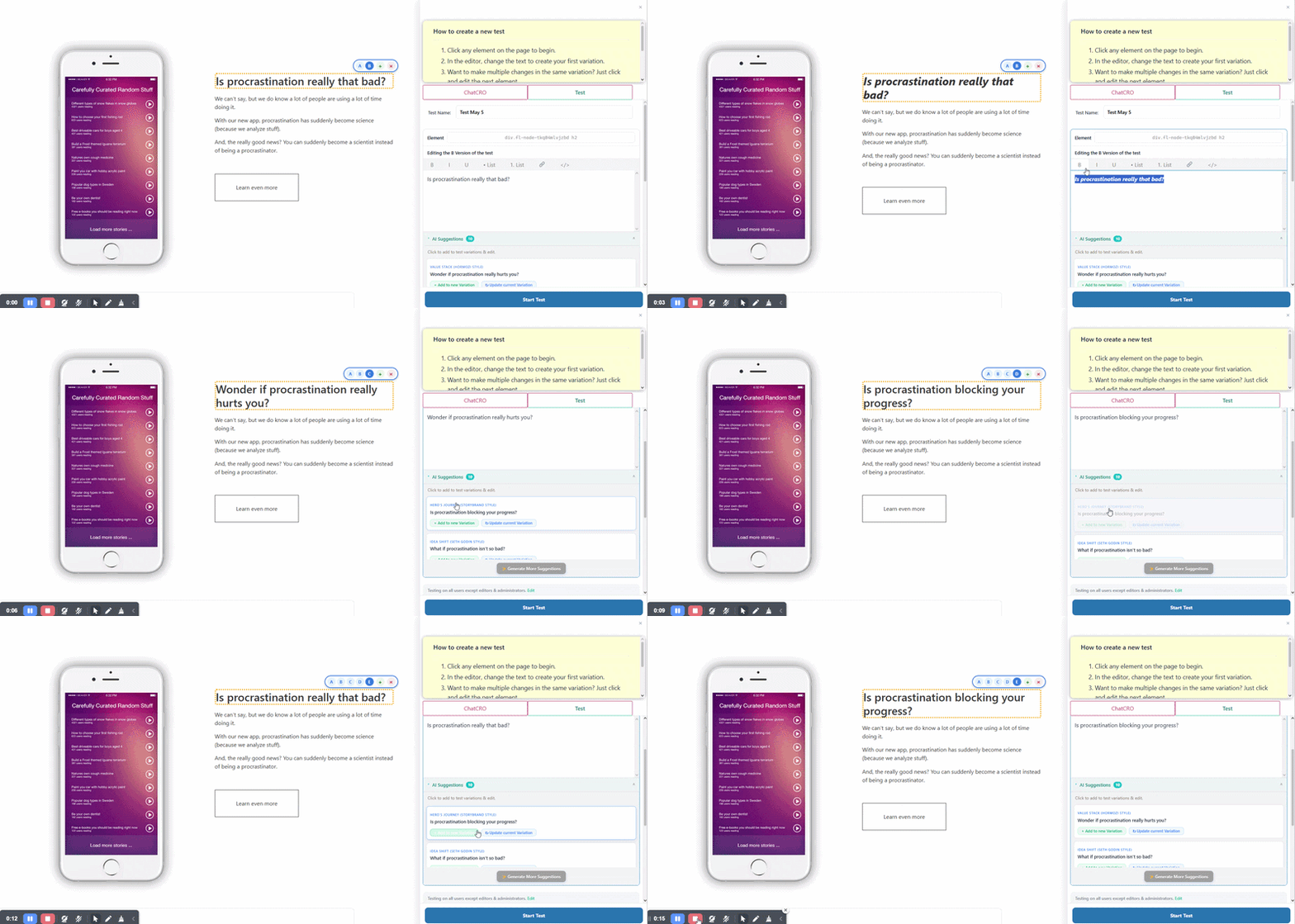
Click any element on your page from the front end and the AI immediately generates optimized variations based on your content and tone. No briefs, no prompts, no copy-paste. You click, review the suggestions, pick what you want to test, and the test is created. The whole process takes about 30 seconds.
AI CRO Agent and full site audit
The AI CRO Agent scans your full website, reads your content, understands your tone and ideal customer, and generates a prioritized list of test suggestions across your whole site. Not just one page. The entire site.
Each suggestion includes the reasoning behind it so you understand what problem it is solving before you run the test.
CROassist Chat
Inside the Magic Bar you can open a chat with the AI and ask specific questions about your page. Things like "what should I test on this page first?" or "is this headline compelling for my audience?" The AI responds with specific advice based on your actual content, not generic CRO advice.
Test Ideas with ICE scoring
The Test Ideas workflow captures AI-generated suggestions and lets you score each one by Impact, Reach, Confidence, and Effort. The highest-value tests rise to the top automatically. When you are ready to act on one, you promote it directly into the experiment workflow.
This is useful for agencies managing multiple sites or anyone who spots more opportunities than they can test at once.
AI rewrites in your tone
From any text element on your page, the AI can rewrite your copy in different styles - shorter, more direct, benefit-focused, urgency-focused, and more. The rewrite uses your existing page content as context so it sounds like you, not like generic AI output.
No OpenAI key needed
This is worth calling out clearly because the original post required one. You do not need an OpenAI account, an API key, or any external setup. The AI features are built into the plugin and work from the moment you install it. The free version includes AI credits to get started and all paid plans include full AI access.
Try it
The AI features are included in the free download with a 7-day Pro trial. No credit card required!