
10 Things Worth Testing on Your WordPress Site Right Now
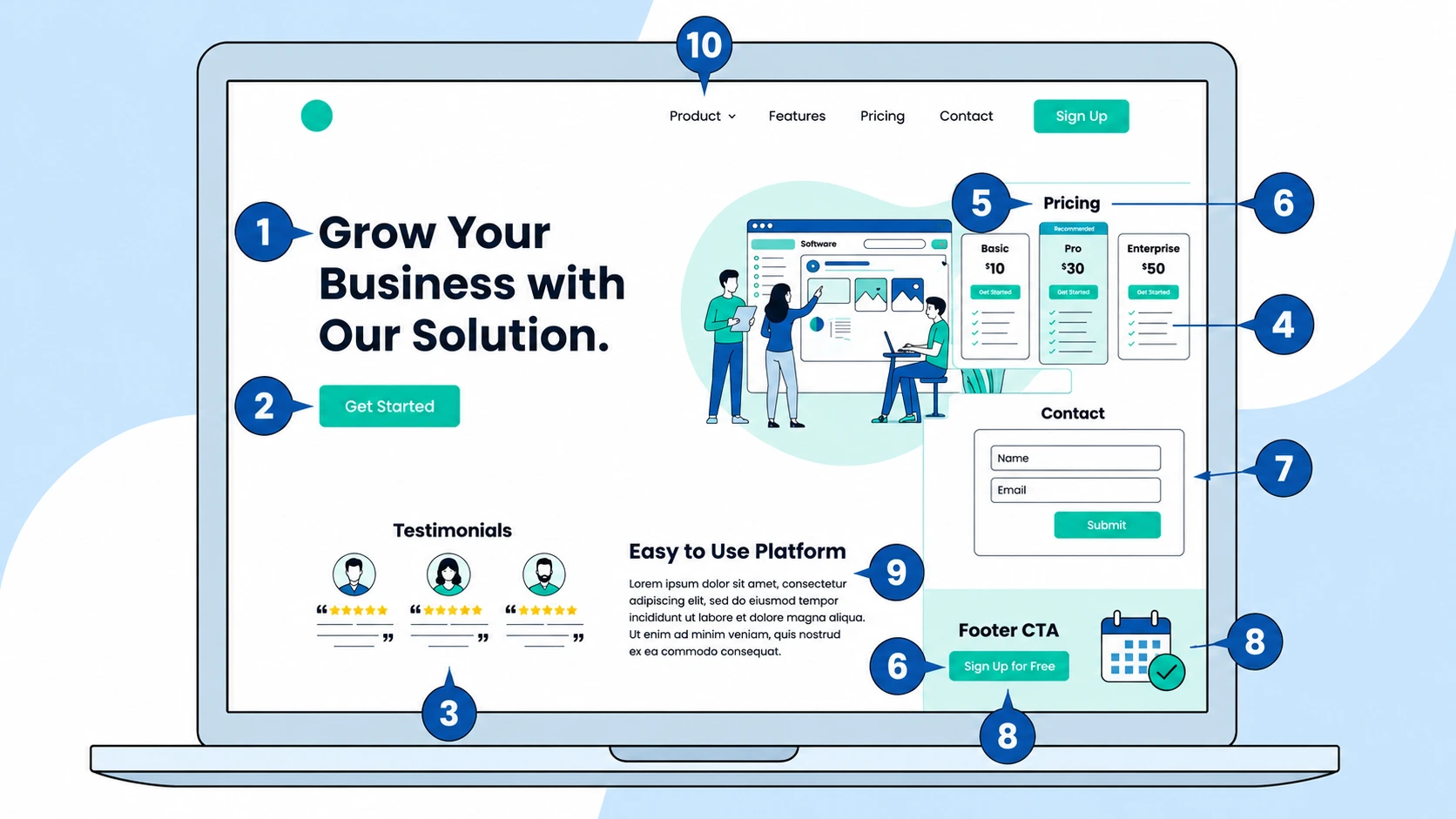
Most lists of split test ideas are too vague to do anything with. "Test your headline." Okay - test it how? Test it against what?
This list is more specific. Each idea includes what to change, what to measure, and how to set it up with AB Split Test.
1. Your hero headline
The headline is the first thing visitors read. If it does not immediately answer "what is this and why should I care," most people leave before they see anything else.
Test a benefit-focused headline against a problem-focused one. Test specific claims against general ones. Test shorter against longer.
Use Magic Mode to click the headline, get AI-generated alternatives based on your actual page content, and launch the test in under a minute. Set the conversion to a page visit deeper in the funnel or a form submission.
2. Your main call to action
Button copy is one of the highest-leverage things to test because it appears everywhere and takes five minutes to set up.
"Get Started" vs "Try It Free" vs "See How It Works" - these all feel similar but perform very differently depending on your audience and what they are nervous about. Visitors who are worried about commitment respond differently from visitors who are just unfamiliar with the product.
Test the copy first. Then test the color. Do not test both at the same time or you will not know which change made the difference.
3. Social proof placement
Most sites put testimonials near the bottom of the page. But if visitors are not scrolling that far and heatmaps will tell you pretty quickly if that is happening, the testimonials are not doing any work.
Test moving a single strong testimonial directly below the hero. Test a star rating badge in the header. Test a short quote next to the main CTA button. Social proof closest to the decision point tends to perform well.
4. Features versus benefits
Product pages often describe what something does rather than what the customer gets from it. These are different things.
"Our AI scans your site" is a feature. "Get specific test ideas in 60 seconds without doing any research yourself" is a benefit. Test both framings on your key selling section and measure which one gets more people to click through or convert.
5. The pricing presentation
You do not have to change your prices to test pricing. You can test how prices are presented.
Annual versus monthly view as the default. Showing savings in dollars versus percentages. Highlighting a recommended plan versus showing all options equally. Leading with the most expensive option versus the cheapest.
These changes do not touch your actual pricing and can meaningfully shift which plan people choose. Use a full page test if your pricing is on a separate page, or an on-page test if it is a section within a longer page.
6. Guarantees and risk reduction
People do not buy when they are not sure what happens if things go wrong. A visible guarantee directly addresses that hesitation.
Test the position of your guarantee, above the fold versus near the CTA versus in the footer. Test the wording "14-day money back, no questions" versus "Try it free, cancel any time." Test whether a badge or icon alongside the text improves performance versus text alone.
8. Image choice in the hero
The hero image or illustration sets the tone for the whole page. Test a product screenshot against a lifestyle image. Test a person making eye contact against an abstract graphic. Test no image at all against a strong visual.
Before you pick what to test, check your heatmaps. If visitors are clicking on the image expecting it to do something and it is not clickable, that is a problem worth solving before anything else.
9. Form length and friction
If your main conversion is a form submission, the form itself is worth testing. More fields mean more friction. Test a three-field version against a five-field version. Test asking for a phone number versus not asking. Test the submit button copy.
AB Split Test tracks form submissions automatically for Contact Form 7, Gravity Forms, WPForms, Fluent Forms, Elementor Forms, Bricks Forms, and more - no extra setup needed.
10. The sub-hero section
Most people test the hero and ignore what comes immediately after it. The sub-hero section is the content visitors hit when the hero does not fully answer their question. It tends to make or break whether they keep reading.
Test a short three-point benefit list against a paragraph of explanation. Test a video against a static graphic. Test a bold claim against a softer intro. Use Time Active as the conversion goal and measure which version keeps people engaged on the page longer.
Where to start
If you are not sure which of these to try first, run heatmaps on your highest-traffic page for a week. The data will tell you where visitors are dropping off or what they are ignoring. Start with the thing the heatmap points to and not the thing that seems most interesting.
The Test Ideas feature in AB Split Test lets you log these ideas with ICE scores so nothing gets lost while you work through the list one at a time.