
How to Run a CRO Process That Actually Works on WordPress
Note: The video below is from 2022. The core CRO principles still apply, but the updated guide below reflects current best practices.
Most people start in the wrong place
The most common mistake with split testing is jumping straight to the test.
Someone has a feeling about a button color, or they read a case study about a headline change that doubled someone else's conversions, and they run with it. Three weeks later the test finishes, nothing improved, and they decide split testing does not work.
It is not that split testing does not work. It is that they skipped the part that makes it work.
Split testing is step three of a three-step process. Steps one and two are where the real work happens. Skip them and you are just guessing with extra steps.
This guide covers the full process: how to find real problems on your site, how to build a test worth running, and how to use the tools available in AB Split Test today to make the whole thing faster and more repeatable.
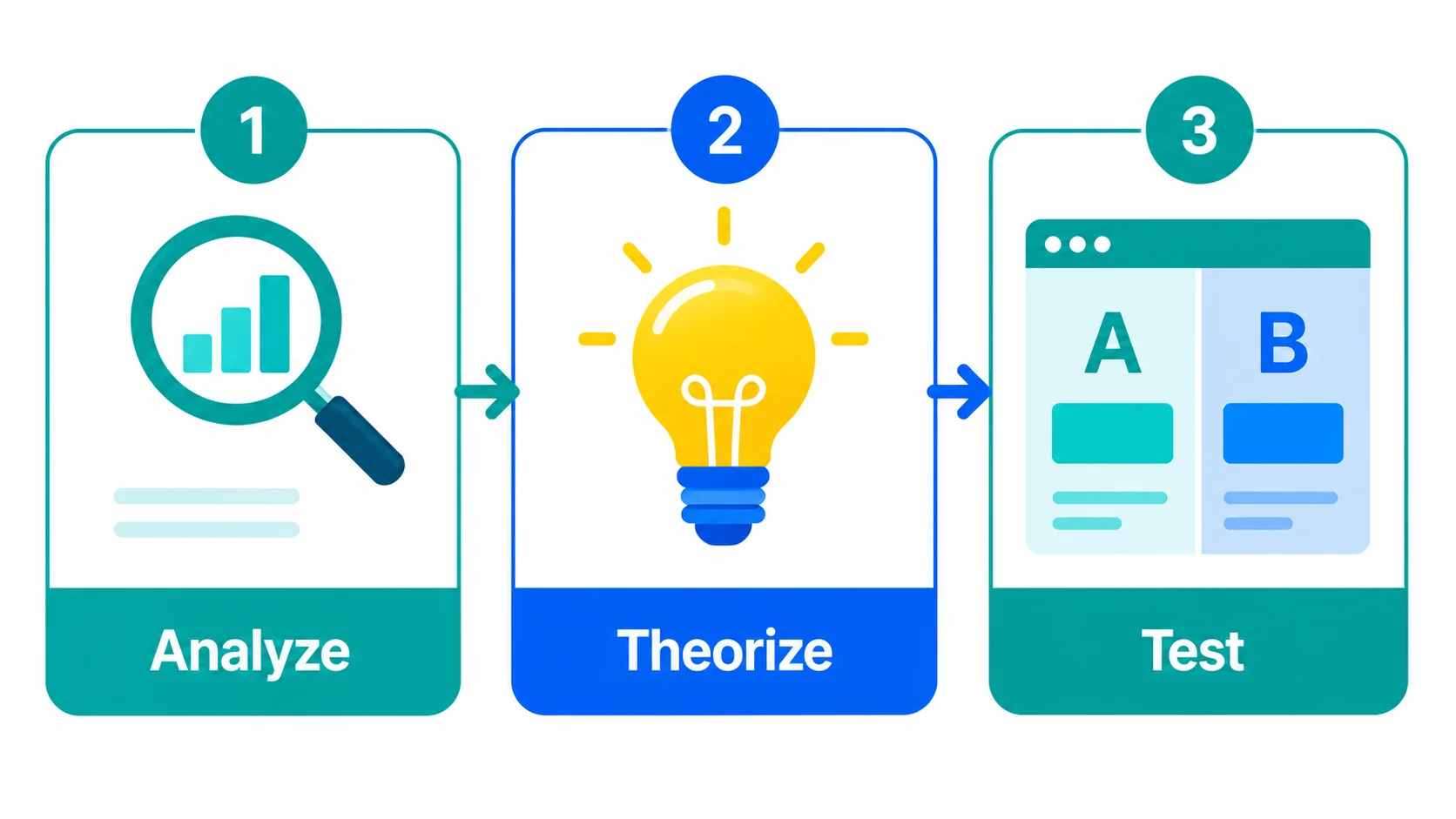
Step 1: Find real problems, not assumed ones
The fastest way to waste time split testing is to test something nobody actually cares about.
A classic example: you spend two weeks testing different footer layouts, and the whole time your visitors are not even scrolling far enough to see the footer. The test finishes, nothing moves, and you blame split testing.
The fix is simple. Ask your visitors what is wrong before you assume.
Ask for feedback directly
Three questions that work well on any site:
- Did you find everything you needed today?
- What could we have done better?
- Is there anything I can help with?
These are low-friction questions that people actually answer. The responses will tell you what is missing from your site, what is confusing, and what visitors expected to find but did not. That is gold before you write a single test brief.
Watch what visitors actually do
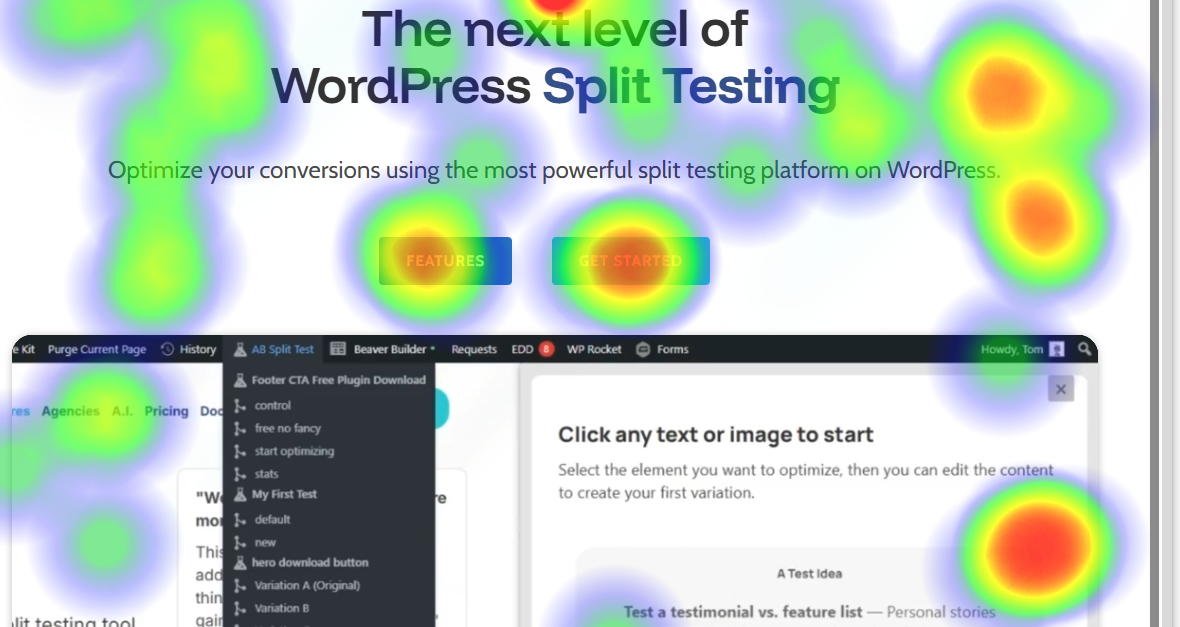
Once you have some written feedback, the next step is watching behavior. AB Split Test now has built-in Heatmaps and Session Replays so you do not need a separate tool for this anymore.
Heatmaps show you where people click, how far they scroll, and which elements get ignored. Session Replays let you watch real visitor sessions with cursor movement and clicks - you can see exactly where people hesitate, where they tap repeatedly in frustration, and where they leave.
Things to look for:
- Visitors not scrolling past the fold, which means your above-the-fold content is not compelling enough to keep them going
- Rage clicks or repeated taps on the same element, which usually means something is broken or confusing
- People hovering over a button and moving away, which suggests they are not sure what happens if they click it
- Visitors reaching checkout and going back to the homepage, which points to a trust or clarity problem in the funnel
When you see those patterns, you have something worth testing.
Step 2: Theorize a solution worth testing
Now that you have real data pointing to a real problem, you can build a theory.
The example from our own site: visitors were asking in live chat whether they could try the software, even though the footer CTA on every page was already linking to a free demo. People were hovering over the button and not clicking. Session recordings confirmed it. The copy was creating friction and it felt like a commitment before they were ready.
The theory was that softer, lower-commitment language in the footer CTA would get more clicks through to the demo.
That is a theory worth testing. It came from real feedback, was confirmed by real behavior data, and has a clear hypothesis behind it.
Set a simple, measurable goal
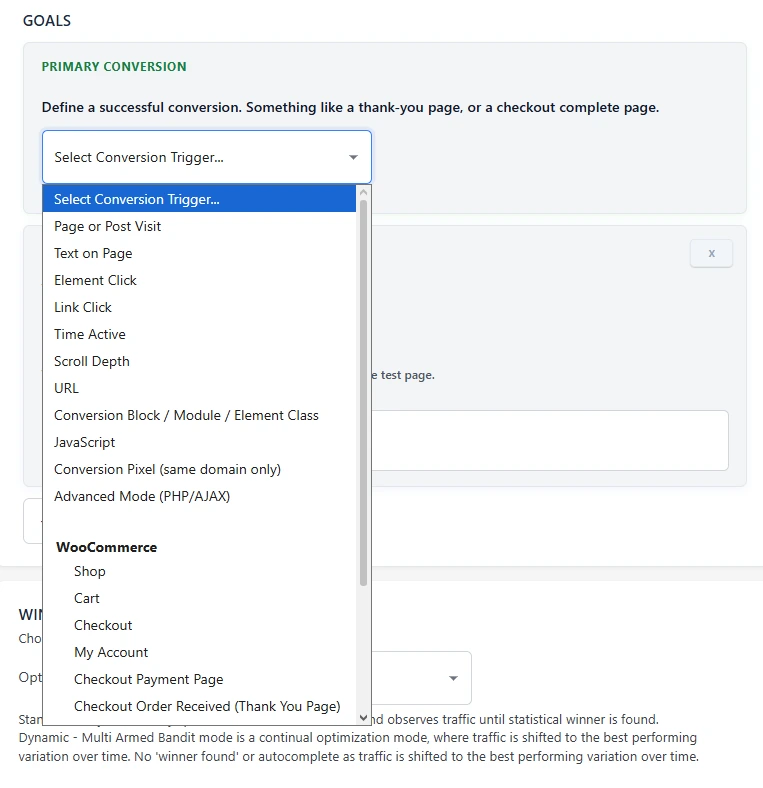
Before you create the test, decide what success looks like. Keep it to one primary goal.
For an ecommerce site that might be completed purchases or average order value. For a service business it might be demo clicks, booking form submissions, or email signups. Whatever the goal is, make sure it maps directly to something that moves the business.
AB Split Test supports 11 conversion goal types including page visits, button clicks, form submissions, scroll depth, purchase value, and JavaScript events. Pick the one that fits your hypothesis and stick with it.
Step 3: Build the test
Once you have a problem, a theory, and a goal, you are ready to build.
Use AI to remove your own bias
One of the harder parts of creating test variations is getting out of your own head. If you write both the control and the variation yourself, you will almost always unconsciously favor one of them. You will write a strong version of the one you believe in and a slightly weaker version of the other.
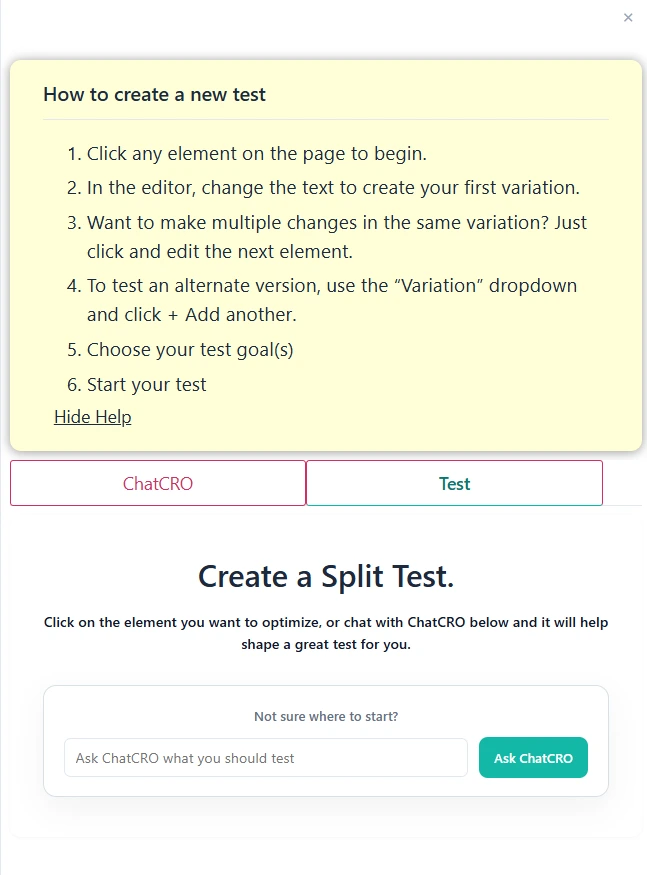
AI fixes that. Instead of writing your own copy for each variation, use the built-in AI CRO Agent to generate suggestions. You describe what you are trying to improve, the AI reads your page and produces variations based on your tone of voice and the actual content on the site.
You are not writing the copy anymore. You are choosing from options. That is a fundamentally different mindset and it produces better tests.
Use Magic Mode for faster setup
Magic Point-and-Click Mode lets you click any element on your page and immediately get AI-generated variations to test. No setup screens, no manually tagging elements, no writing briefs.
Click the element, review the suggestions, pick the ones you want to test, and start the test. What used to take five to ten minutes now takes about thirty seconds.
This is available for any element on any page: headlines, buttons, hero sections, CTAs, images, anything.
Use Test Ideas to capture hypotheses before you lose them
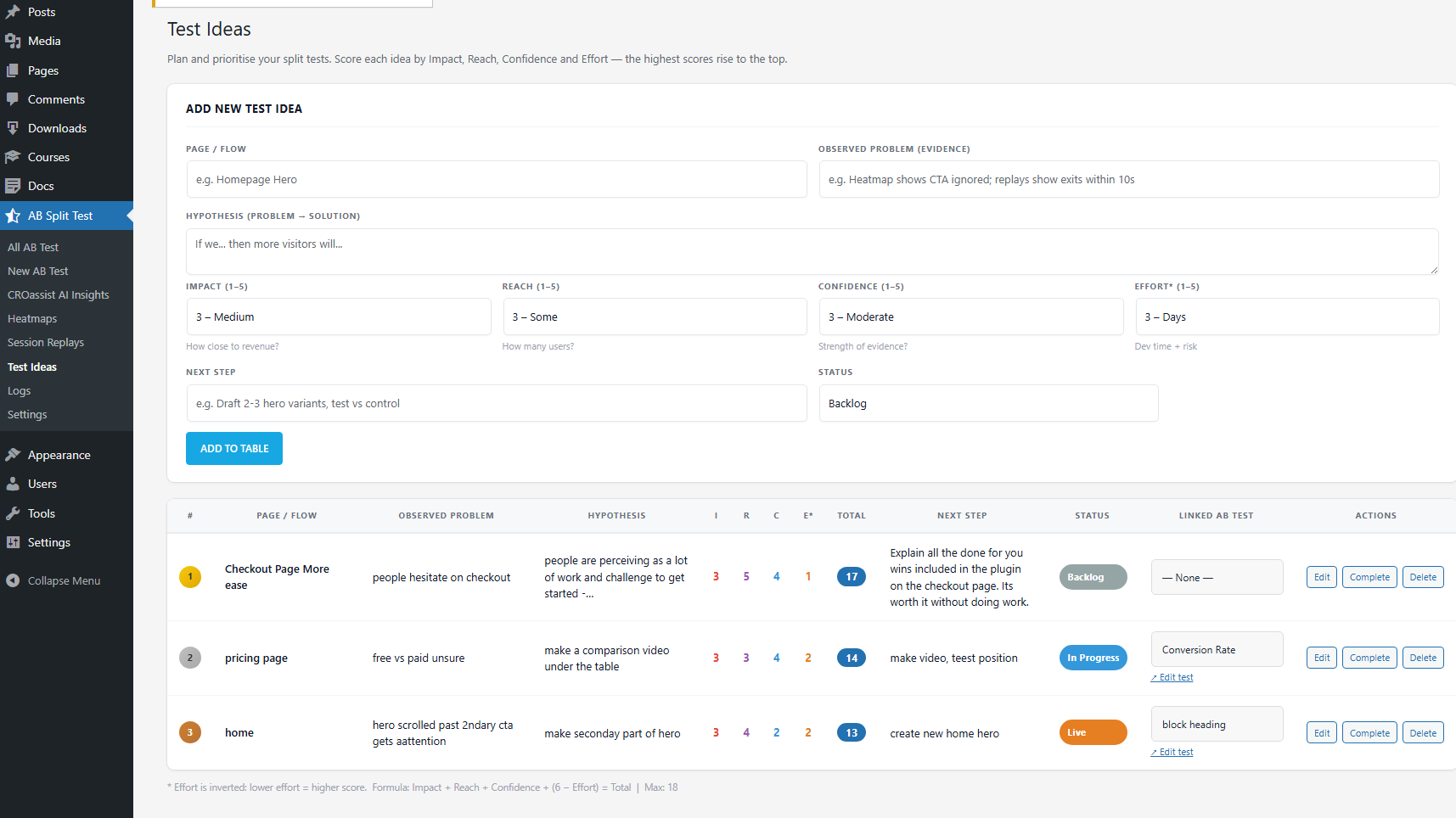
If you are running CRO for multiple clients or across a busy site, you will often spot problems faster than you can test them. The Test Ideas workflow in AB Split Test lets you log each idea with an ICE score (Impact, Reach, Confidence, Effort) so the highest-value tests rise to the top automatically.
When you are ready to run a test, you promote the idea directly into the experiment workflow. Nothing gets lost and you always know what to work on next.
Step 4: Wait, watch, and implement
Once the test is running, the main job is to not interfere.
A few things worth knowing:
Let it run long enough. Most tests need at least one full week of data, and two weeks is safer. Behavior on Mondays is different from behavior on Saturdays. Behavior at the start of the month is different from the end of the month. You need to capture enough of that natural variation before drawing conclusions.
Do not jump the gun on early results. If one variation is up 40% after two days, that is almost certainly noise. AB Split Test will show you an Underpowered badge when results are not yet conclusive so you know when to keep waiting and when you actually have something.
Autocomplete handles the winner for you. When there is enough statistical evidence, Autocomplete automatically shows the winning variation to all visitors. You do not have to log in and make a manual change. The improvement just goes live and stays live.
Share results without a login. If you are running tests for clients, you can generate a public shareable report link directly from the results page. No client login required. They see the variation breakdown, confidence level, and uplift in a clean report.
The full process in one place
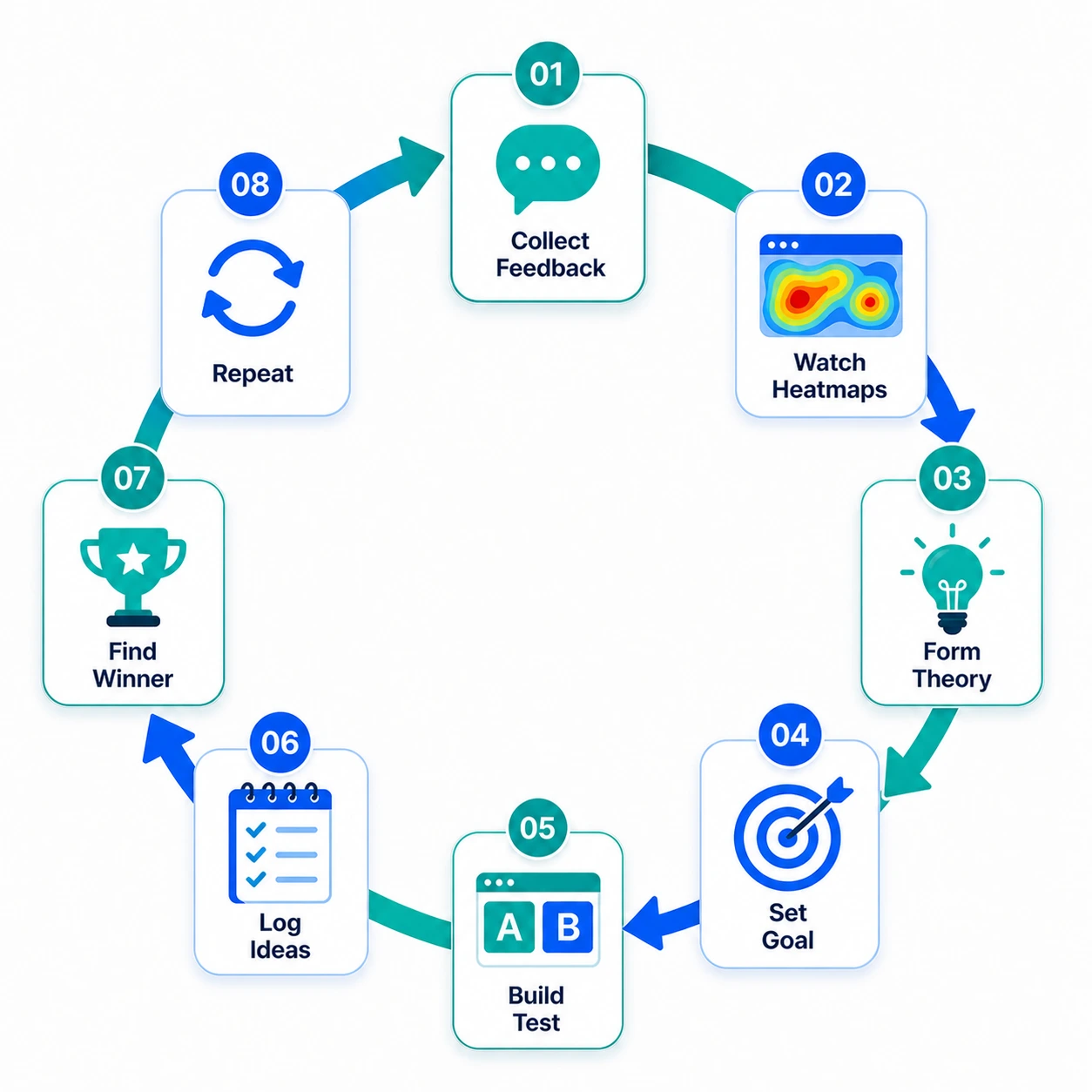
- Collect feedback from real visitors
- Watch heatmaps and session replays to confirm what the data shows
- Form a theory based on what you find, not what you assume
- Set a single clear conversion goal
- Use Magic Mode and the AI CRO Agent to build variations without bias
- Log ideas in Test Ideas with ICE scoring so nothing gets lost
- Let Autocomplete find the winner and implement it automatically
- Start the process again
That is it. No statistics degree required. No big agency retainer. Just a repeatable process that gets better the more you run it.
Give it a try
The free version of AB Split Test includes one active test and is enough to run the full process described here. The 7-day Pro trial bundled with the free download gives you access to Magic Mode, Heatmaps, Session Replays, the AI CRO Agent, and Test Ideas.