
How to A/B Test Ninja Forms for Better Conversions
If you're using Ninja Forms on your WordPress site, you're already ahead of most people. Ninja Forms is one of the most flexible form builders out there.
But here's the thing. You can build the perfect form and still miss conversions if your messaging is off, your button text is weak, or your form is in the wrong place.
That's where A/B testing comes in.
Why Test Your Ninja Forms?
Small changes can make a big difference in form submissions.
Testing different versions helps you figure out what actually works instead of guessing.
What you can test:
- Headlines above your form
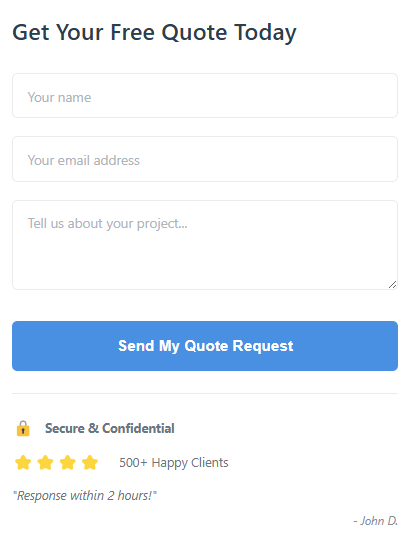
- Button text ("Submit" vs "Get Started" vs "Send My Quote")
- Form placement on the page
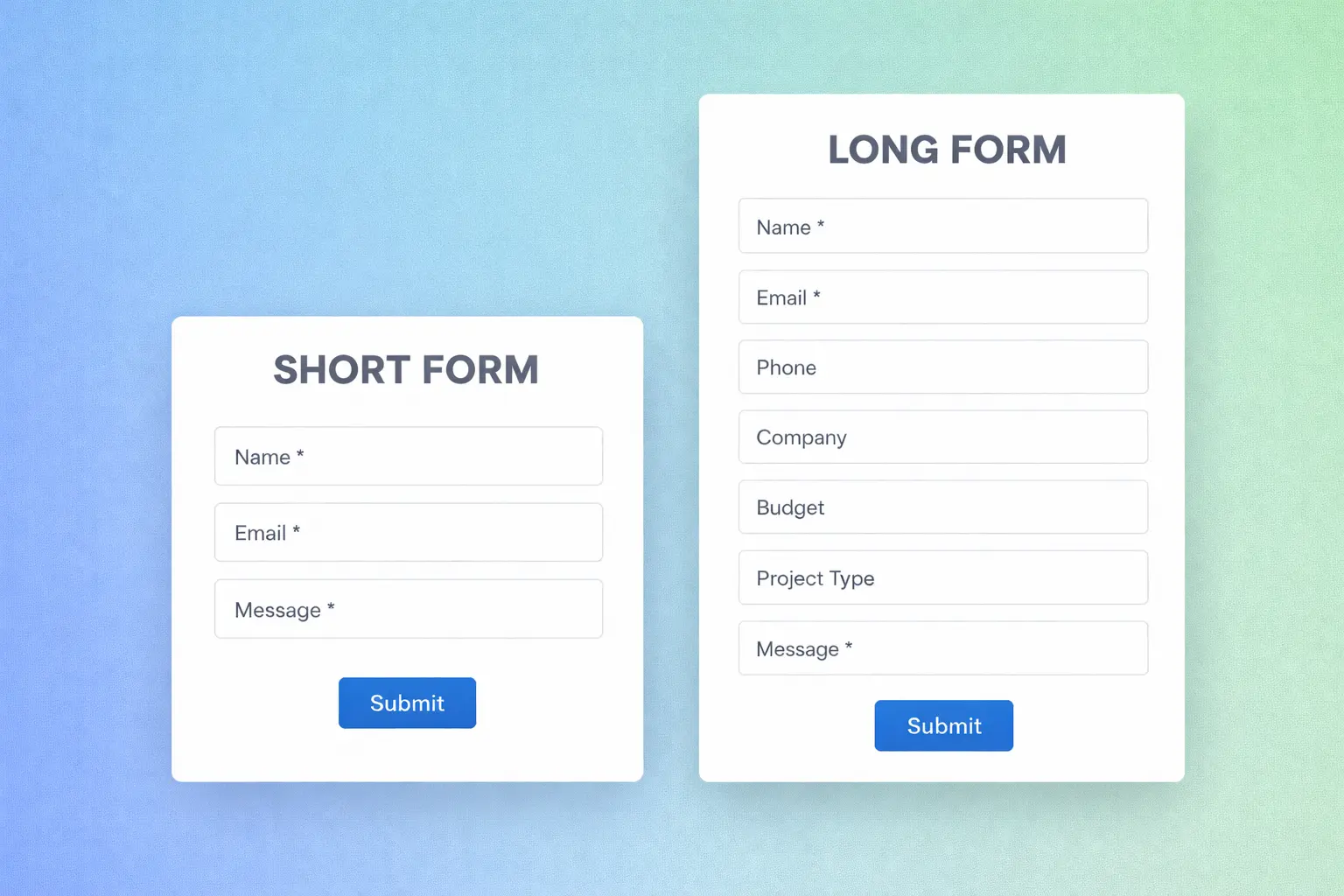
- Number of form fields (short vs long forms)
- Trust signals near the form (testimonials, guarantees, security badges)
AB Split Test + Ninja Forms
AB Split Test now has built-in support for Ninja Forms. When you create a test, Ninja Forms automatically shows up in your conversion goal options.
No code. No setup. Just select your Ninja Form and start testing.
How to Set It Up
Step 1: Create Your Test
Go to AB Split Test > Add New Test and create either:
- Full Page Test if you're testing two completely different pages
- On Page Elements if you're testing elements on the same page (headlines, button text, etc.)
Step 2: Set Your Conversion Goal
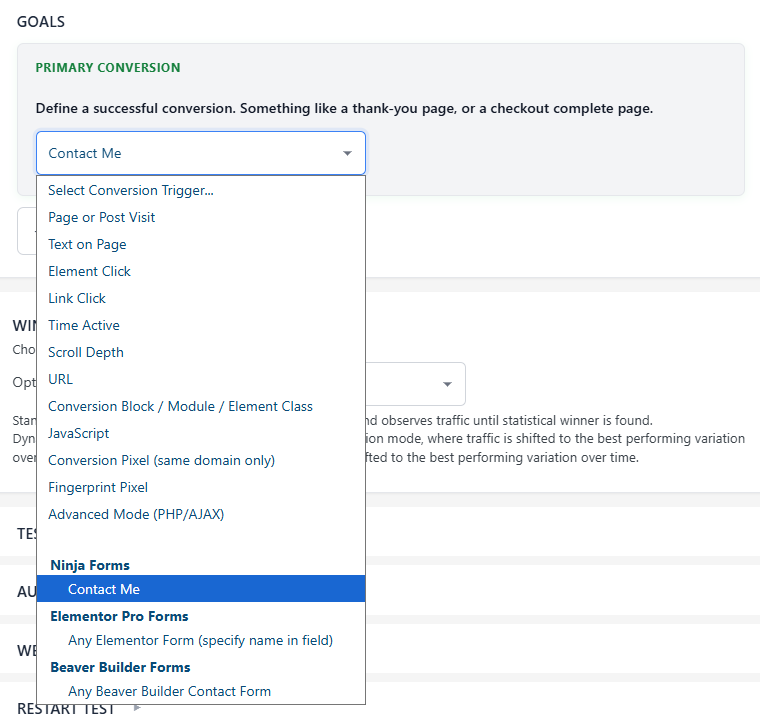
Scroll to Conversion Goals and click the dropdown. You'll see your Ninja Forms listed automatically.
Select the form you want to track and publish your test.
Step 3: Build Your Variations
Create the versions you want to test. For example:
- Version A: "Get Your Free Quote" headline
- Version B: "How Much Does It Cost? Find Out Now" headline
Step 4: Start Testing
AB Split Test will now track which variation each visitor sees, and when they submit your Ninja Form, it counts as a conversion for that variation.
Real Example: Testing Contact Form Headlines
Let's say you have a contact page with a Ninja Form. You're getting traffic but not enough form submissions.
Set up the test:
- Create an On Page Elements test
- Add two headline variations:
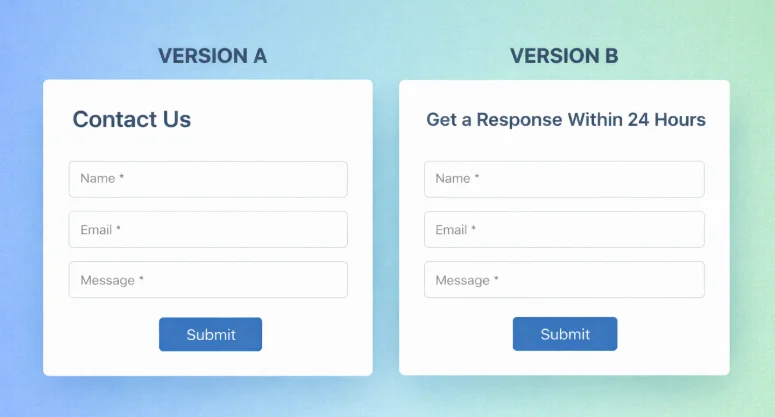
- Original: "Contact Us"
- Test: "Get a Response Within 24 Hours"
- Set conversion goal to your Ninja Form
- Run the test.
AB Split Test shows you which headline gets more form submissions. If the specific headline wins by a significant margin, you've just increased your lead volume without spending a dollar on ads.
What to Test First
If you're new to testing Ninja Forms, start with these high-impact tests:
Test 1: Headline Above the Form
The headline is the first thing people see. A clear, benefit-focused headline usually beats generic ones.
Test 2: Button Text
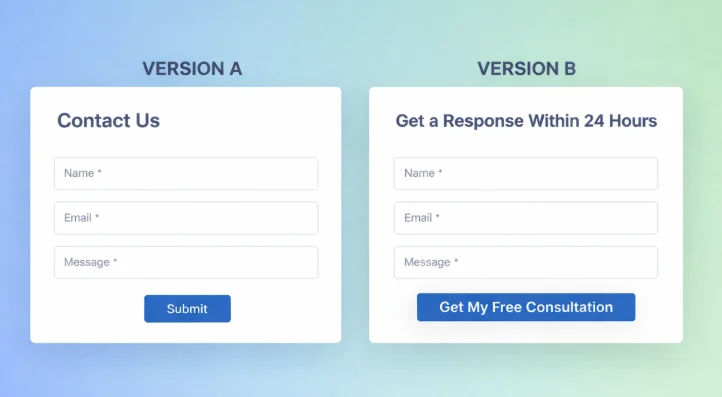
"Submit" is boring. Test something specific to your offer:
- "Get My Free Consultation"
- "Send My Quote Request"
- "Start My Project"
Test 3: Form Length
Short forms get more submissions but sometimes lower quality leads. Long forms filter out casual visitors. Test both and see what works for your business.
Test 4: Trust Signals
Add testimonials, security badges, or guarantees near your form and test if they increase submissions.
Supported Ninja Forms Features
AB Split Test tracks all Ninja Forms submissions, including:
- Standard contact forms
- Multi-step forms
- Conditional logic forms
- Payment forms
No matter how complex your Ninja Form is, AB Split Test will track the submission as a conversion.
Get Started
AB Split Test works with Ninja Forms out of the box. No configuration needed.
Start with a 7 day Pro trial, then continue using the free version forever. No credit card required.
Other Supported Form Plugins
AB Split Test also works with:
-
WPForms
-
Contact Form 7
-
Fluent Forms
-
Gravity Forms
-
Formidable Forms
-
Forminator
-
Elementor Pro Forms
-
JetFormBuilder
-
MetForm
-
MW WP Form
-
SureForms
-
FormCraft