
Server Side (PHP) rendering of elements
Teams Included on the Teams plan. Not available on the Lite version. Upgrade →
This guide explains how to use a Code experiment andget_or_set_experiment_variation() to apply content changes in PHP
before the page is sent to the browser.
When to use this
Use this pattern when you want variation output to happen server-side, for example:
- changing copy in PHP templates
- swapping small HTML fragments in server-rendered markup
- keeping variation assignment sticky across requests with the plugin cookie.
Why shouldn’t I use this?
Full page tests, you can simply add ?ssr=1 to your URL for server side rendering of full page tests.
You cannot have an active full page cache which can greatly increase page load times and server resources.
Function behavior
get_or_set_experiment_variation($test_id):
- validates the experiment is a published
bt_experimentspost - supports only
full_page,magic, andcode, we’ll use code in this example. - reuses the existing
btab_<test_id>cookie assignment when present - applies targeting rules (role/device/url)
- selects a variation (random or weighted for Thompson)
- writes sticky cookie data for future requests
- returns a parsed value based on test type
Return values:
- Code/Magic tests: integer index (
0,1,2, …) - Full page tests: numeric page ID
Prerequisites
- Create and publish a test with:
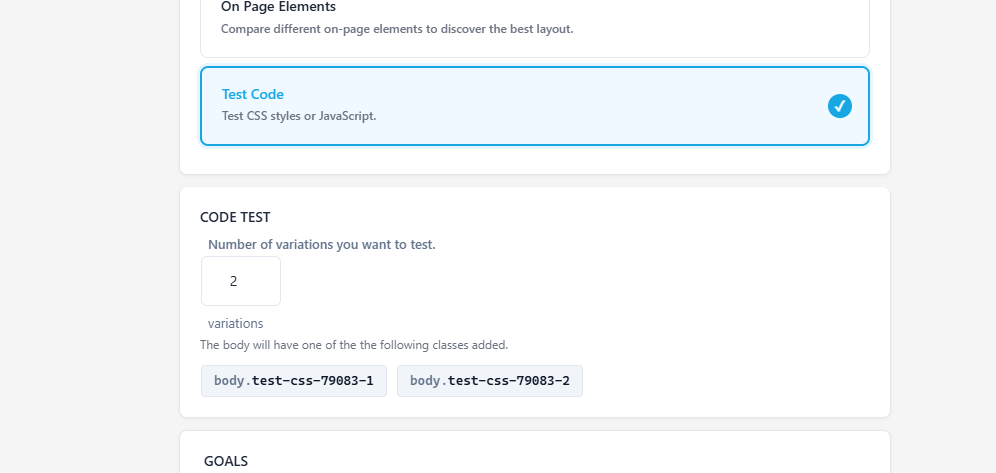
test type = code- at least 2 variations
- Make sure targeting options are configured as intended (or broad enough to include your visitor).
Example… 3-variation server-side content switch
<?php
$test_id = 12345; // your published Code test post ID
$variation = get_or_set_experiment_variation($test_id);

if ($variation === false) {
    // Not targeted, inactive, invalid test, or unsupported context
    echo '<h2>Default headline</h2>';
} elseif ($variation === 0) {
    echo '<h2>Default headline</h2>';
} elseif ($variation === 1) {
    echo '<h2>Variant B headline</h2>';
} elseif ($variation === 2) {
    echo '<h2>Variant C headline</h2>';
} else {
    // Safety fallback for unexpected values
    echo '<h2>Default headline</h2>';
}
Recommended pattern
Treat variation indexes as implementation details and map them explicitly:
<?php
$map = [
    0 => 'default',
    1 => 'benefit_focused',
    2 => 'urgency_focused',
];

$variation = get_or_set_experiment_variation($test_id);
$key = ($variation !== false && isset($map[$variation])) ? $map[$variation] : 'default';

switch ($key) {
    case 'benefit_focused':
        // render variant B
        break;
    case 'urgency_focused':
        // render variant C
        break;
    case 'default':
    default:
        // render original
        break;
}
This keeps template logic stable even if you later reorder visual labels in admin.
Targeting + fallbacks
The helper can return false in normal operation:
- user role not allowed
- device filter mismatch
- URL filter mismatch
- test not published
- test type not
code/magic/full_page
Always include a default render path when false is returned.
Notes for production
- Assignment is sticky via
btab_<test_id>cookie, so users stay on the same variant across requests. - If you are testing with different users/devices, clear cookies between scenarios.
- Keep variation IDs in code synchronized with the test’s actual variation count.
- Will increase server resources, recommend to only use when other options are not useful.