
Setting up an AB Split Test in just a few minutes
There are four ways to create a test in AB Split Test. The right one depends on what you want to test. All of them take a few minutes to set up.
The fastest way: Magic Point and Click
- Log in to your WordPress site
- Open any page on the front end while logged in
- Click AB Split Test in the admin bar and select New Magic Test
- Click any element on the page
- CROAssist AI generates variation copy instantly
- Set your primary conversion goal (see goal types below)
- Add subgoals if you are on the Teams plan
- Click Start Test
Watch in action here: Magic Mode Updates: Better AI Suggestions, CRO Chat and More
On page element test: for page builder users
If you are using Elementor, Bricks Builder, Beaver Builder, Oxygen, Breakdance, WP Bakery, Gutenberg, Kadence, or any other supported builder, you can test individual elements directly inside the builder.
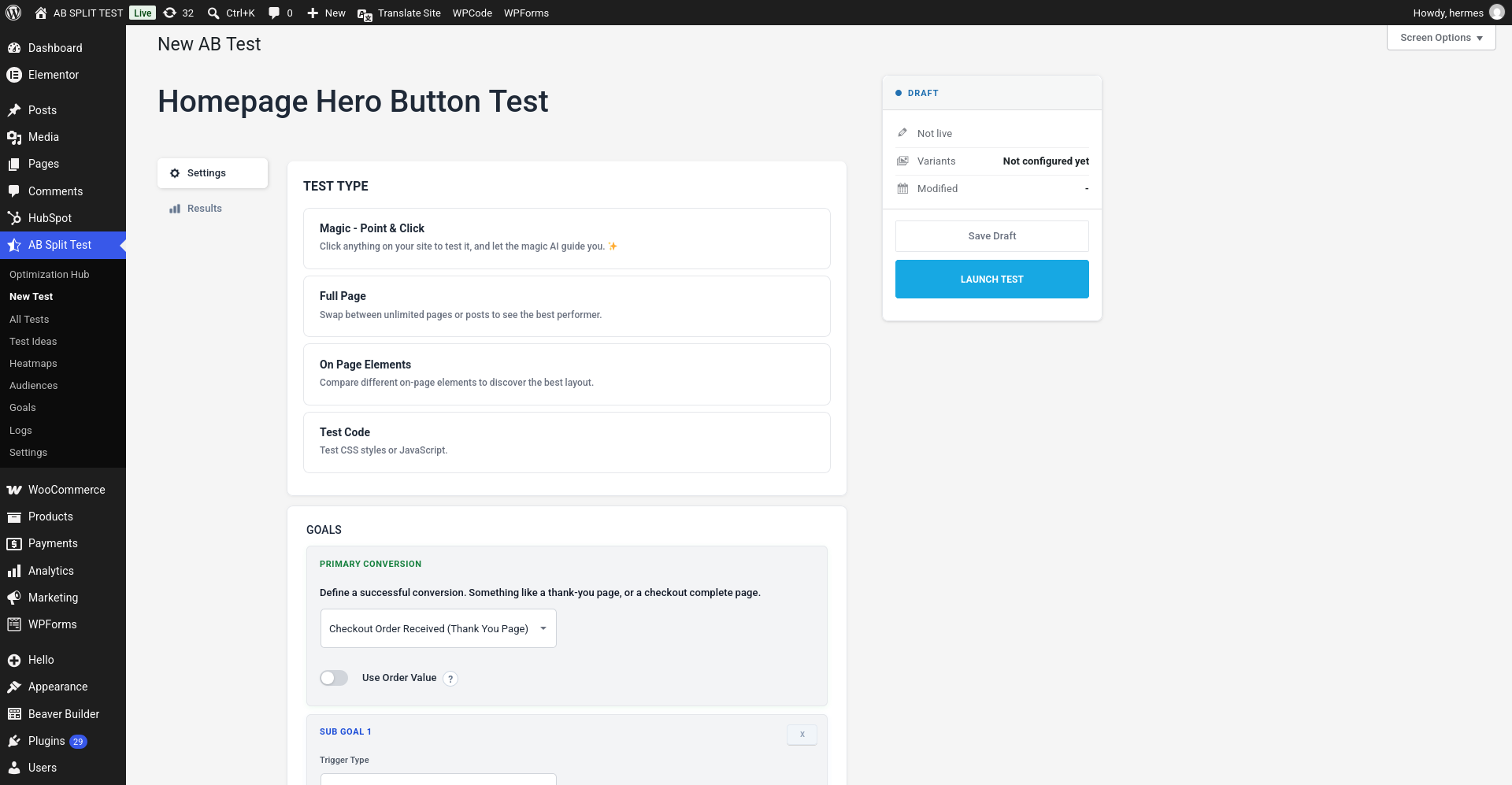
- Go to AB Split Test > New Test
- Select On Page Elements
- Give your test a name
- Open your page builder and tag the elements you want to test using AB Split Test's built in variation controls
- Set your primary conversion goal (see goal types below)
- If you are on the Teams plan, add subgoals to track secondary conversions alongside your primary goal
- Click Launch Test
The process is the same across all supported page builders. Watch here: AB Test Elementor Walkthrough 2025 - Optimize Anything Elementor in Seconds
Full page test: for comparing two different pages
- Go to AB Split Test > New Test
- Select Full Page
- Choose the two pages you want to compare
- Set your primary conversion goal (see goal types below)
- Add subgoals if you are on the Teams plan
- Click Launch Test
Code test: for CSS and JavaScript changes
- Go to AB Split Test > New Test
- Select Test Code
- Add your CSS or JavaScript for the variation
- Set your primary conversion goal (see goal types below)
- Add subgoals if you are on the Teams plan
- Click Launch Test
Setting a conversion goal
Every test requires at least one primary goal. This is the action you want visitors to take that tells AB Split Test which variation is winning.
Free Lite plan: one goal per test.
Teams plan: one primary goal plus unlimited subgoals. Subgoals let you track secondary conversions alongside your primary goal at the same time.
For a full breakdown of every goal type and how to configure each one, see the AB Split Test Conversions guide.
Here is a quick overview of all 14 available goal types:
AB Split Test supports 14 conversion goal types. For full setup instructions on each one, see the Conversions guide.
| Plan | Goals per test |
|---|---|
| Free Lite | 1 primary goal. Set it and let it run. |
| Teams | 1 primary goal plus unlimited subgoals, tracked side by side. |
| Goal type | What it tracks |
|---|---|
| Page or post visit | Visitor lands on a specific page selected from a dropdown |
| URL | Visitor lands on a specific URL path (e.g. /checkout/thank-you/) |
| Text on page | A specific piece of text appears on the page. Useful for inline form confirmations where no redirect happens. |
| Element click | Any button, link, or element defined by a CSS selector |
| Link click | A specific URL link is clicked. Works for internal and external links. |
| Time active | Visitor actively engages (scroll, click, interact) for a set number of seconds. Not idle tab time. |
| Scroll depth | Visitor scrolls to a set percentage of the page (e.g. 50%, 75%, 90%) |
| Conversion block / class | A specific CSS class appears on the page. Useful for template or code-driven triggers. |
| JavaScript | Custom JS trigger via abstConvert(TestId) for advanced setups |
| Conversion pixel | Pixel URL you place on a page outside WordPress (same domain only) |
| Fingerprint pixel | Cross domain tracking for external checkouts like ThriveCart or Shopify |
| Advanced mode | PHP/AJAX triggers for custom server side conversion flows |
| Form submissionCF7, Gravity Forms, WPForms, Fluent Forms, Elementor Forms, Bricks Forms, Ninja Forms, Formidable Forms, WS Form, Beaver Builder Forms, MailPoet Forms | Fires when a visitor submits a supported form. No CSS selectors or custom code required. |
| WooCommerce purchaseAlso supports SureCart, Easy Digital Downloads, FluentCart | Fires on order completion. Use standard tracking for most setups, or server side tracking for CartFlows, WooFunnels, and custom checkouts. Enable Use Order Value to optimize for revenue per visitor. |
Low traffic site? Choose Scroll Depth or Time Active as your primary goal to collect data faster. Add your form submission or purchase as a subgoal (Teams plan) so you can track it alongside without waiting months for enough conversions.
What happens after you launch
AB Split Test pre-renders all variations in the page HTML and assigns the correct version to each visitor automatically. Caching does not affect which variation a visitor sees.
The Bayesian statistics engine monitors results in real time. When one variation reaches 95% confidence, has run for at least one week, and has collected at least 50 visits per variation, Autocomplete declares a winner, hides the losing variations, and sends you an email.
You do not need to watch the test or log back in for this to happen.
Questions? Contact [email protected].
Last updated: May 2026