
Bot Detection: count only real people
Teams Included on the Teams plan. Not available on the Lite version. Upgrade →
Crawlers, uptime monitors, SEO tools, headless browsers and AI assistants all load your pages. Without filtering they land in your test results as visits that never convert, which flattens the difference between your variations and pads your heatmaps with scroll depth nobody scrolled. Bot Detection counts only visitors who behave like people.
How to set it up
Settings → Tracking & Privacy → Bot Detection → Ignore bots. Off by default. Included with paid plans.
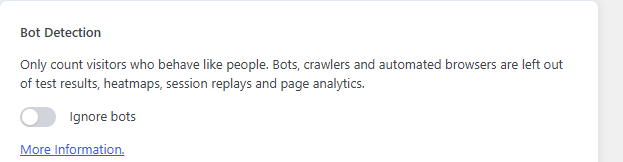
That is the whole setup. It applies everywhere at once: test results, heatmaps, session replays and page analytics.
How a visitor is judged
Two gates, in order:
- Known bots are dropped. A long list of user agents – crawlers, link previewers, Lighthouse and PageSpeed, uptime and SEO tools, headless browsers,
curl,python,axiosand friends – never send anything at all. - Everyone else waits. Their visit is held in the browser until the first real input: a mouse move, pointer, touch, wheel, key press, click or typed character. Then it is sent, and the visitor is remembered as human for later visits.
A scroll event on its own does not count, because scripts and scroll restoration fire it too. A person who scrolls always produces one of the inputs above.
Bots still see your variations
Assignment and rendering are untouched. A crawler gets whatever variation it was bucketed into, exactly like a person. Always serving bots the original would be cloaking, and search engines treat that as a ranking problem.
Gotchas
- Your numbers will drop. Visits recorded after you switch it on are lower than before, because the padding is gone. Don’t compare a before window with an after window and read it as a traffic fall.
- Existing data is not cleaned. The filter applies from the moment it is on.
- Server-side conversions follow the same rule. A checkout or form conversion from a visitor who never showed a human signal is not counted, otherwise you would have conversions with no visit behind them.
- A very fast bounce may not be counted. Someone who lands and leaves without touching anything never clears the gate. This is the trade: they also never converted.
- Free plans don’t have it. The toggle cannot be switched on by a filter either.
For developers
abst_bot_detection– turn the feature on or off in code (paid plans only).abst_is_bot_user_agent–($is_bot, $user_agent), to add or forgive a user agent.
Related: Choose When Test Visits Are Logged · Privacy-First Heatmaps