
Goals: reusable conversion goals
Most sites measure the same handful of outcomes over and over: a purchase, a form, a booking, someone reaching the checkout. The Goals screen lets you define those once and reuse them, instead of rebuilding the same conversion on every new test.
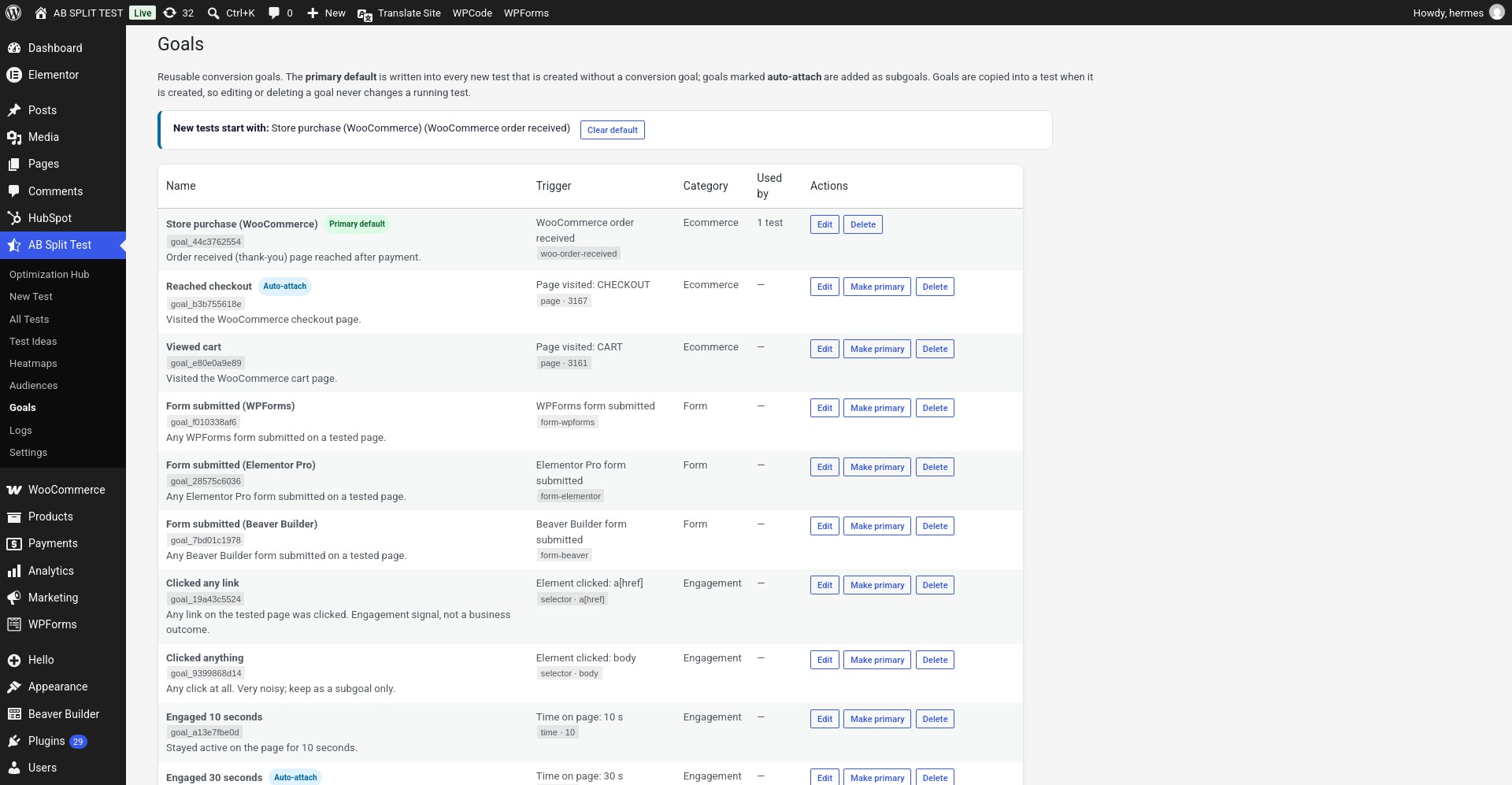
The primary default
One goal can be marked the primary default. Any new test created without a conversion goal starts with that one already set. Its row carries the Primary default badge, and Clear primary in the same row removes it.
If most of your tests are aiming at the same outcome - a WooCommerce order, say - setting it as the default removes a step from every test you create.
Auto-attach goals
Goals marked auto-attach are added to new tests as subgoals. These are the supporting metrics you always want alongside the real outcome: reached checkout, engaged 30 seconds, clicked any link.
A good setup is one primary default that is a business outcome, plus two or three auto-attach goals that explain why it moved.
Goals are copied, not linked
This is the important one. A goal is copied into a test when the test is created. Editing or deleting a goal afterwards never changes a test that is already running, so you cannot accidentally redefine what a live experiment is measuring.
That is the opposite of how audiences work, which are referenced and do update live tests. Worth keeping straight.
The catalogue
Goals are grouped by category - Ecommerce, Form, Engagement - and each one shows its trigger and how many tests are using it. The Used by count is a quick way to spot the goals that earn their place and the ones nobody ever picks.
Every trigger type available on a test is available here, so a goal can be a page visit, an element click, a form submission, a WooCommerce order, scroll depth, time on page and so on.
The Goals screen
Split Tests → Goals lists every conversion your site can measure, built from what you actually run: store purchases, form submissions and key pages.
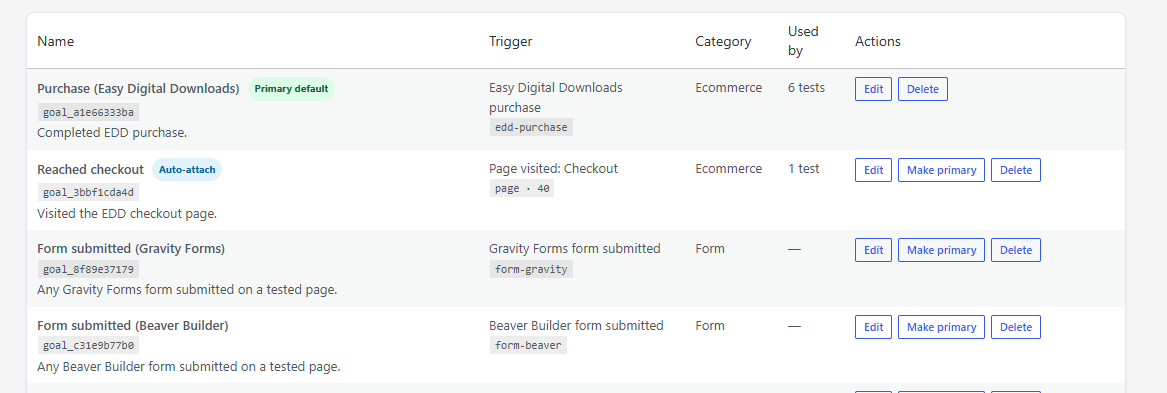
New tests start with your primary goal. The AI suggests a goal for each test idea, and ChatCRO can set one with a click. Goals are also available over REST, MCP and WP-CLI.
Starting a test without a goal highlights the Goals card and offers one-tap goals rather than letting the test run unmeasured.